---
title: Auto-forward From Google Workspace to Help Scout
description: Google Workspace (formerly known as G Suite) is a robust and fully featured business email service offered by Google that utilizes the Gmail interface for email. This article will cover setting up aut
---
[Skip to content](https://hsdemo.frodx.com/en/knowledge/auto-forward-from-google-workspace-to-help-scout#main-content)
English
Show submenu for translations
.png?width=550&height=171&name=frodx-logo-new%20(1).png)
- [Sample Contact Page](https://hsdemo.frodx.com/sample-contact)
- [Sample About Page](https://hsdemo.frodx.com/sample-about)
- [Default HubSpot Blog](https://hsdemo.frodx.com/biglytics-blog)
Open main navigation
Close main navigation
- [Sample Contact Page](https://hsdemo.frodx.com/sample-contact)
- [Sample About Page](https://hsdemo.frodx.com/sample-about)
- [Default HubSpot Blog](https://hsdemo.frodx.com/biglytics-blog)
- English
Show submenu for translations
- Contact us
Contact us
How can we help you?
- There are no suggestions because the search field is empty.
1. [Help Center](https://hsdemo.frodx.com/en/knowledge)
2. [Help Desk](https://hsdemo.frodx.com/en/knowledge/help-desk)
3. [Copying Email to Help Scout](https://hsdemo.frodx.com/en/knowledge/help-desk#copying-email-to-help-scout)
# Auto-forward From Google Workspace to Help Scout
Google Workspace (formerly known as G Suite) is a robust and fully featured business email service offered by Google that utilizes the Gmail interface for email. This article will cover setting up automatic forwarding of all email from a Google Workspace mailbox or a Gmail free email address to a Help Scout mailbox.
This guide is for a standard Google Workspace User mailbox, and covers forwarding *all* email that comes to that Gmail mailbox to a single Help Scout mailbox.
If you are using a different type address at Google for the email you want to forward to Help Scout, you may want to check out one of these guides instead:
- [Auto-forward From a Google Workspace Group](https://docs.helpscout.com/article/78-auto-forward-from-a-google-workplace-group) will help you get things moving if the email address belongs to a Google Group.
- [Auto-forward From Google Workspace Using Routing](https://5256150.hs-sites.com/knowledge/auto-forward-from-google-workspace-using-routing) is a guide for Google Workspace administrators that would rather route the email to Help Scout directly.
- [Auto-forward Google Workspace Aliases](https://docs.helpscout.com/article/1446-auto-forward-google-workspace-aliases-to-help-scout) has the information you'll need if you are using Google aliases on a single Gmail inbox and you don't want all of them to forward to the same Help Scout mailbox.
**Note:** After enabling forwarding at Gmail, you should be completely *hands-off in Gmail*. Do not reply to or modify any conversations from your Gmail inbox, as this will break the Help Scout conversation link. Replies or updates will be lost if you're not working exclusively from Help Scout.
First things first: Make sure you have followed the first steps in [Connect Your Custom Address](https://docs.helpscout.com/article/830-get-your-email-into-help-scout#connect) and you have your Help Scout Mailbox Address ready.
**See all settings** 
Click the **Forwarding and POP/IMAP** tab from the top menu. Then click the **Add a forwarding address** button.

You'll see a pop-up window asking for your forwarding address. Paste your Help Scout Mailbox Address in to the text field, then hit **Next***.* A pop-up will appear where you will be asked to confirm what you just did, hit **Proceed**, followed by **OK** in the next window to close it out.
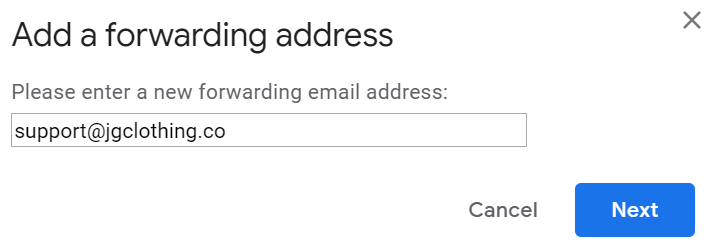
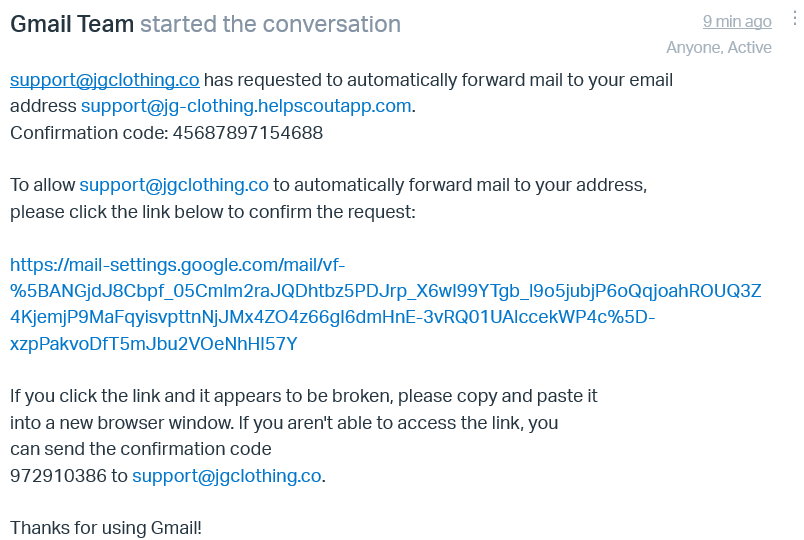
Head back to Help Scout and refresh your mailbox. You should see a confirmation email from Google confirming that you want to allow forwarding to your Help Scout forwarding address. Click the link to confirm. A new tab will open that shows that Google will now allow you to forward to that address. ***Note:*** This does not mean that forwarding is turned on yet — you'll do that in the next step.
Head back into Gmail settings and the **Forwarding and POP/IMAP** tab again. Click the button next to **Forward a copy of incoming mail to** and make sure the forwarding address in the drop down is your Help Scout address. You can choose what to do with the messages in your Gmail inbox as well. We recommend keeping a copy in the inbox, but it's totally up to you. There's a **Save Changes** button hiding at the bottom of the page; don't forget to save when you're done editing your forwarding rule.
(One more step after this, we're almost done!)

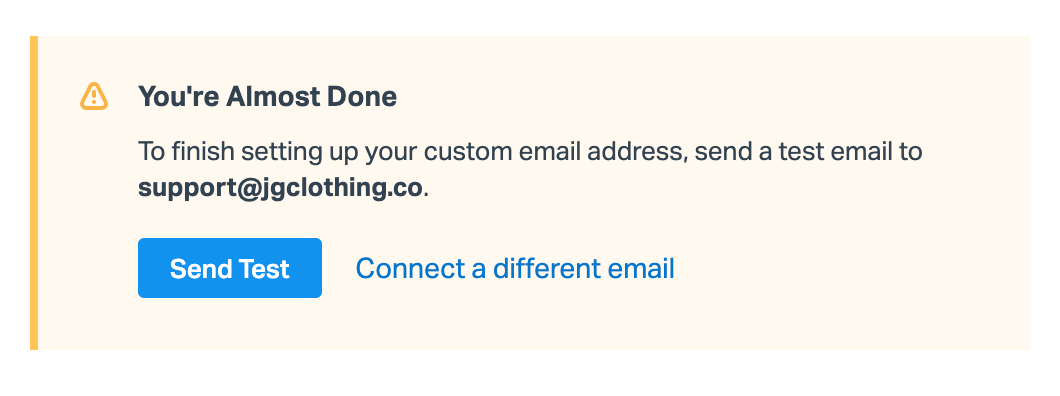
Now head back to **Manage \> Mailbox(es)** in Help Scout and choose the mailbox you just created. Click **Send Test** to confirm the forwarding is set up.
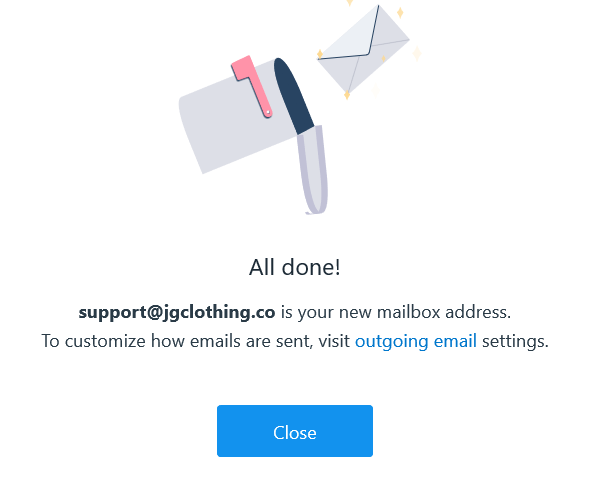
That's it! You're set!
**Next steps:** Set up [SPF](https://5256150.hs-sites.com/knowledge/use-an-spf-record-to-help-with-email-delivery) and [DKIM](https://5256150.hs-sites.com/knowledge/use-dkim-to-help-with-email-delivery-1) to allow Help Scout servers to send email on your behalf, or set up [Google oAuth](https://5256150.hs-sites.com/knowledge/use-google-oauth-to-send-from-help-scout-1) to have your email sent from your Google account.
**Note:** The Google spam filter can be fairly aggressive. If it determines an email is spam, that email will not be forwarded in to Help Scout. Check out [Inbound Email Issues](https://docs.helpscout.com/article/123-forwarding-delivery-isssues#gmailspam) for more information and our recommendations.
Did this answer your question? Thanks for the feedback There was a problem submitting your feedback. Please try again later.Yes No No results found
- [Docs](https://hsdemo.frodx.com/en/knowledge/docs#main-content)
- [Working with Docs](https://hsdemo.frodx.com/en/knowledge/docs#working-with-docs)
- [Formatting Content](https://hsdemo.frodx.com/en/knowledge/docs#formatting-content)
- [Managing Docs in Help Scout](https://hsdemo.frodx.com/en/knowledge/docs#managing-docs-in-help-scout)
- [Help Desk](https://hsdemo.frodx.com/en/knowledge/help-desk#main-content)
- [Mobile Apps](https://hsdemo.frodx.com/en/knowledge/help-desk#mobile-apps)
- [Getting Started](https://hsdemo.frodx.com/en/knowledge/help-desk#getting-started)
- [Productivity](https://hsdemo.frodx.com/en/knowledge/help-desk#productivity)
- [Mailbox and User Settings](https://hsdemo.frodx.com/en/knowledge/help-desk#mailbox-and-user-settings)
- [Working with Conversations](https://hsdemo.frodx.com/en/knowledge/help-desk#working-with-conversations)
- [Account Management](https://hsdemo.frodx.com/en/knowledge/help-desk#account-management)
- [Integrations](https://hsdemo.frodx.com/en/knowledge/help-desk#integrations)
- [Copying Email to Help Scout](https://hsdemo.frodx.com/en/knowledge/help-desk#copying-email-to-help-scout)
- [Reporting](https://hsdemo.frodx.com/en/knowledge/help-desk#reporting)
- [Sample Contact Page](https://hsdemo.frodx.com/sample-contact)
- [Sample About Page](https://hsdemo.frodx.com/sample-about)
- [Default HubSpot Blog](https://hsdemo.frodx.com/biglytics-blog)
[.png?width=550&height=171&name=frodx-logo-new%20(1).png "FrodX")](https://en.frodx.com/)
[mailto:email@email.com](mailto:email@email.com)
Copyright © 2026, GateHub Ltd