---
title: Auto-forwarding From cPanel to Help Scout
description: Email and hosting providers using cPanel offer the ability to set up a forwarder without creating a mailbox for the address. Forwarding set up this way will not retain a copy of the emails at your pro
---
[Skip to content](https://hsdemo.frodx.com/en/knowledge/auto-forwarding-from-cpanel-to-help-scout#main-content)
English
Show submenu for translations
.png?width=550&height=171&name=frodx-logo-new%20(1).png)
- [Sample Contact Page](https://hsdemo.frodx.com/sample-contact)
- [Sample About Page](https://hsdemo.frodx.com/sample-about)
- [Default HubSpot Blog](https://hsdemo.frodx.com/biglytics-blog)
Open main navigation
Close main navigation
- [Sample Contact Page](https://hsdemo.frodx.com/sample-contact)
- [Sample About Page](https://hsdemo.frodx.com/sample-about)
- [Default HubSpot Blog](https://hsdemo.frodx.com/biglytics-blog)
- English
Show submenu for translations
- Contact us
Contact us
How can we help you?
- There are no suggestions because the search field is empty.
1. [Help Center](https://hsdemo.frodx.com/en/knowledge)
2. [Help Desk](https://hsdemo.frodx.com/en/knowledge/help-desk)
3. [Copying Email to Help Scout](https://hsdemo.frodx.com/en/knowledge/help-desk#copying-email-to-help-scout)
# Auto-forwarding From cPanel to Help Scout
Email and hosting providers using cPanel offer the ability to set up a forwarder without creating a mailbox for the address. Forwarding set up this way will not retain a copy of the emails at your providers' server. Check in with your provider on their options if you would prefer an actual mailbox to keep a copy of the forwarded messages.
**Note:** The version of cPanel your hosting provider offers may look a bit different than the screenshots we have below but the steps should be the same. If your screens are significantly different from what you see here, your host's support team would be your best bet for an assist!
First things first: Make sure you have your Help Scout email address ready. Check out [Find Your Help Scout Email Address](https://docs.helpscout.com/article/830-get-your-email-into-help-scout#find) if you don't know it.
**Forwarders**  **Add Forwarder** 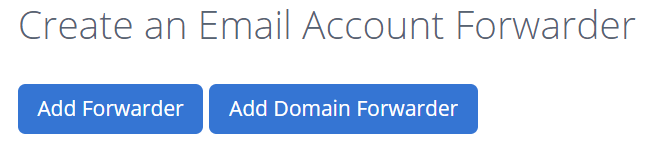 **Forward to Email Address** **Add Forwarder** 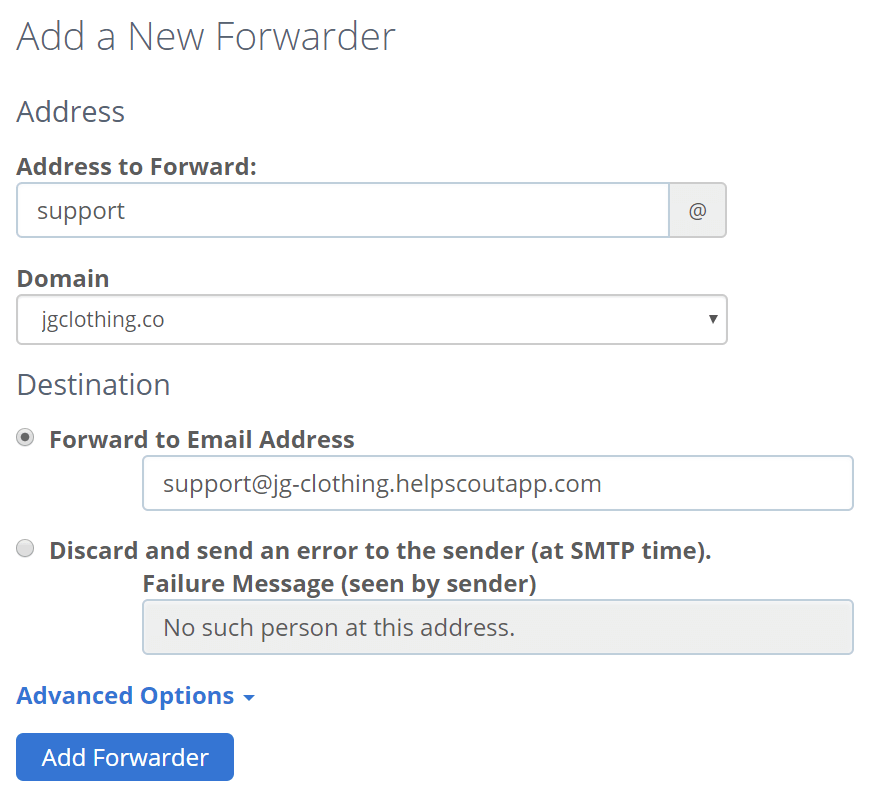 
**Next steps**: Set up [SPF](https://5256150.hs-sites.com/knowledge/use-an-spf-record-to-help-with-email-delivery) and [DKIM](https://5256150.hs-sites.com/knowledge/use-dkim-to-help-with-email-delivery-1) to allow Help Scout servers to send email on your behalf.
Did this answer your question? Thanks for the feedback There was a problem submitting your feedback. Please try again later.Yes No No results found
- [Docs](https://hsdemo.frodx.com/en/knowledge/docs#main-content)
- [Working with Docs](https://hsdemo.frodx.com/en/knowledge/docs#working-with-docs)
- [Formatting Content](https://hsdemo.frodx.com/en/knowledge/docs#formatting-content)
- [Managing Docs in Help Scout](https://hsdemo.frodx.com/en/knowledge/docs#managing-docs-in-help-scout)
- [Help Desk](https://hsdemo.frodx.com/en/knowledge/help-desk#main-content)
- [Mobile Apps](https://hsdemo.frodx.com/en/knowledge/help-desk#mobile-apps)
- [Getting Started](https://hsdemo.frodx.com/en/knowledge/help-desk#getting-started)
- [Productivity](https://hsdemo.frodx.com/en/knowledge/help-desk#productivity)
- [Mailbox and User Settings](https://hsdemo.frodx.com/en/knowledge/help-desk#mailbox-and-user-settings)
- [Working with Conversations](https://hsdemo.frodx.com/en/knowledge/help-desk#working-with-conversations)
- [Account Management](https://hsdemo.frodx.com/en/knowledge/help-desk#account-management)
- [Integrations](https://hsdemo.frodx.com/en/knowledge/help-desk#integrations)
- [Copying Email to Help Scout](https://hsdemo.frodx.com/en/knowledge/help-desk#copying-email-to-help-scout)
- [Reporting](https://hsdemo.frodx.com/en/knowledge/help-desk#reporting)
- [Sample Contact Page](https://hsdemo.frodx.com/sample-contact)
- [Sample About Page](https://hsdemo.frodx.com/sample-about)
- [Default HubSpot Blog](https://hsdemo.frodx.com/biglytics-blog)
[.png?width=550&height=171&name=frodx-logo-new%20(1).png "FrodX")](https://en.frodx.com/)
[mailto:email@email.com](mailto:email@email.com)
Copyright © 2026, GateHub Ltd