---
title: Connect Help Scout and Mailchimp to See List Subscriptions in the Sidebar
description: Mailchimp is an email marketing service used by companies large and small all over the world. Their product has everything your business needs to manage an email newsletter, and they give you great re
---
[Skip to content](https://hsdemo.frodx.com/en/knowledge/connect-help-scout-and-mailchimp-to-see-list-subscriptions-in-the-sidebar#main-content)
English
Show submenu for translations
.png?width=550&height=171&name=frodx-logo-new%20(1).png)
- [Sample Contact Page](https://hsdemo.frodx.com/sample-contact)
- [Sample About Page](https://hsdemo.frodx.com/sample-about)
- [Default HubSpot Blog](https://hsdemo.frodx.com/biglytics-blog)
Open main navigation
Close main navigation
- [Sample Contact Page](https://hsdemo.frodx.com/sample-contact)
- [Sample About Page](https://hsdemo.frodx.com/sample-about)
- [Default HubSpot Blog](https://hsdemo.frodx.com/biglytics-blog)
- English
Show submenu for translations
- Contact us
Contact us
How can we help you?
- There are no suggestions because the search field is empty.
1. [Help Center](https://hsdemo.frodx.com/en/knowledge)
2. [Help Desk](https://hsdemo.frodx.com/en/knowledge/help-desk)
3. [Integrations](https://hsdemo.frodx.com/en/knowledge/help-desk#integrations)
# Connect Help Scout and Mailchimp to See List Subscriptions in the Sidebar
[Mailchimp](http://mailchimp.com/) is an email marketing service used by companies large and small all over the world. Their product has everything your business needs to manage an email newsletter, and they give you great reporting along the way.
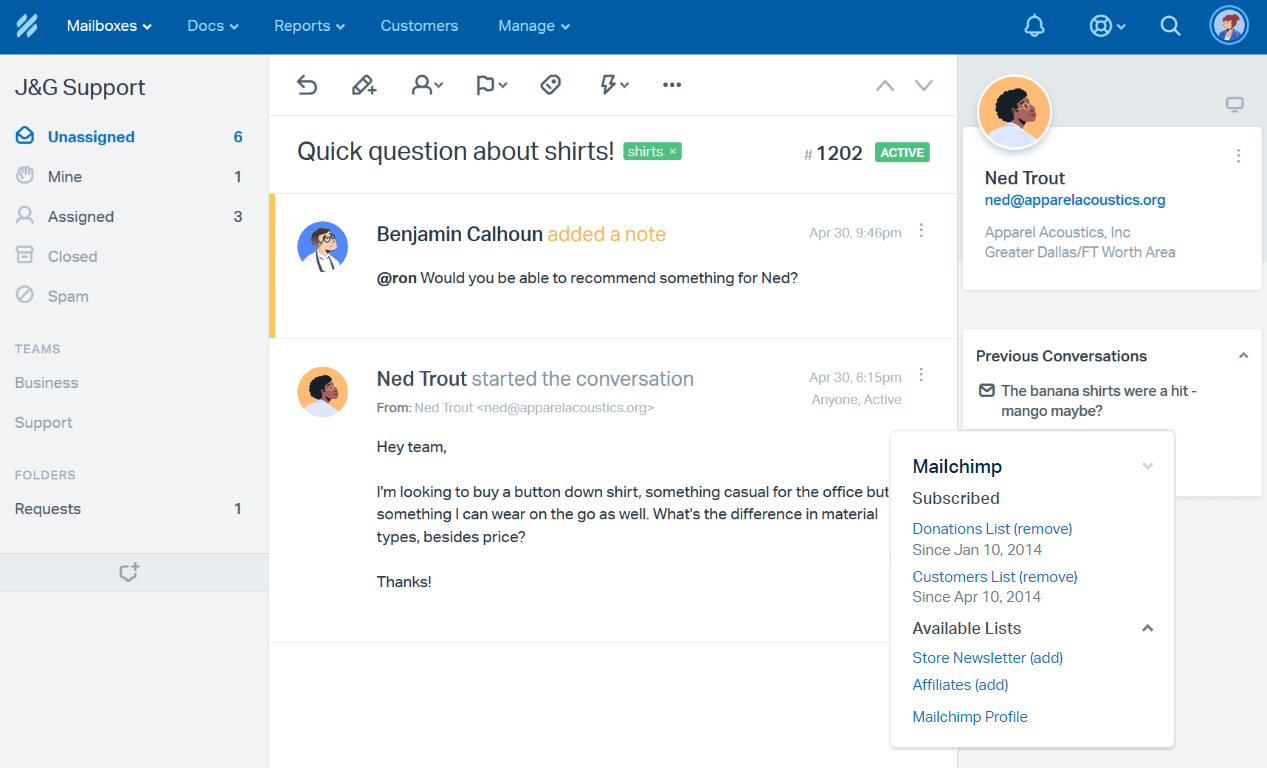
The Help Scout App pulls everything you need to know from the customer's Mailchimp profile right into the sidebar. You can see what lists they are subscribed to, add them to or unsubscribe them from a list, and open their Mailchimp profile in a click. Important to note, when you unsubscribe a customer from a mailing list, it works as if the customer has [unsubscribed themselves](https://mailchimp.com/help/about-unsubscribes/).
### Activation instructions
Head to Manage \> Apps \> [Mailchimp](https://secure.helpscout.net/apps/mailchimp) in Help Scout. Click on the blue **Install App** button in the left sidebar.
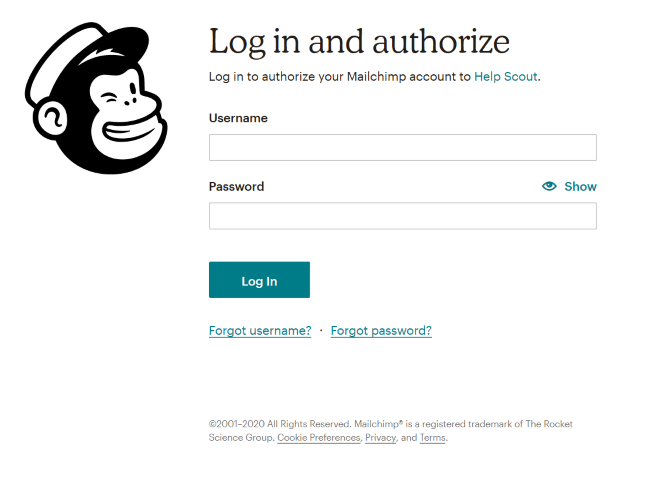
You'll then be prompted to sign in to your Mailchimp account to authorize Help Scout. Enter your credentials and click on the **Log In** button.
You'll be directed back to the app page in Help Scout, where you can select the mailboxes you'd like the Mailchimp integration to show up in. Once you've selected them, click **Save**. You're done! 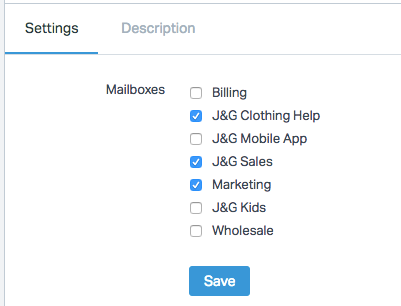
#### A couple of notes:
- It is only possible to link *one* Mailchimp account per Help Scout account.
- The email address is the only data sent over to Mailchimp when you subscribe a customer from the Help Scout sidebar. Make sure that you do not have any other fields (name, address, or phone) set as required at Mailchimp to use the sidebar subscribe.
Did this answer your question? Thanks for the feedback There was a problem submitting your feedback. Please try again later.Yes No No results found
- [Docs](https://hsdemo.frodx.com/en/knowledge/docs#main-content)
- [Working with Docs](https://hsdemo.frodx.com/en/knowledge/docs#working-with-docs)
- [Formatting Content](https://hsdemo.frodx.com/en/knowledge/docs#formatting-content)
- [Managing Docs in Help Scout](https://hsdemo.frodx.com/en/knowledge/docs#managing-docs-in-help-scout)
- [Help Desk](https://hsdemo.frodx.com/en/knowledge/help-desk#main-content)
- [Mobile Apps](https://hsdemo.frodx.com/en/knowledge/help-desk#mobile-apps)
- [Getting Started](https://hsdemo.frodx.com/en/knowledge/help-desk#getting-started)
- [Productivity](https://hsdemo.frodx.com/en/knowledge/help-desk#productivity)
- [Mailbox and User Settings](https://hsdemo.frodx.com/en/knowledge/help-desk#mailbox-and-user-settings)
- [Working with Conversations](https://hsdemo.frodx.com/en/knowledge/help-desk#working-with-conversations)
- [Account Management](https://hsdemo.frodx.com/en/knowledge/help-desk#account-management)
- [Integrations](https://hsdemo.frodx.com/en/knowledge/help-desk#integrations)
- [Copying Email to Help Scout](https://hsdemo.frodx.com/en/knowledge/help-desk#copying-email-to-help-scout)
- [Reporting](https://hsdemo.frodx.com/en/knowledge/help-desk#reporting)
- [Sample Contact Page](https://hsdemo.frodx.com/sample-contact)
- [Sample About Page](https://hsdemo.frodx.com/sample-about)
- [Default HubSpot Blog](https://hsdemo.frodx.com/biglytics-blog)
[.png?width=550&height=171&name=frodx-logo-new%20(1).png "FrodX")](https://en.frodx.com/)
[mailto:email@email.com](mailto:email@email.com)
Copyright © 2026, GateHub Ltd