---
title: Connect Magento With Help Scout to View Customer Data in Sidebar
description: Magento is an open source, enterprise-level eCommerce platform with a product offering to suit businesses of all sizes. It gives online retailers everything they need to sell products to customers. Yo
---
[Skip to content](https://hsdemo.frodx.com/en/knowledge/connect-magento-with-help-scout-to-view-customer-data-in-sidebar-1#main-content)
English
Show submenu for translations
.png?width=550&height=171&name=frodx-logo-new%20(1).png)
- [Sample Contact Page](https://hsdemo.frodx.com/sample-contact)
- [Sample About Page](https://hsdemo.frodx.com/sample-about)
- [Default HubSpot Blog](https://hsdemo.frodx.com/biglytics-blog)
Open main navigation
Close main navigation
- [Sample Contact Page](https://hsdemo.frodx.com/sample-contact)
- [Sample About Page](https://hsdemo.frodx.com/sample-about)
- [Default HubSpot Blog](https://hsdemo.frodx.com/biglytics-blog)
- English
Show submenu for translations
- Contact us
Contact us
How can we help you?
- There are no suggestions because the search field is empty.
1. [Help Center](https://hsdemo.frodx.com/en/knowledge)
2. [Help Desk](https://hsdemo.frodx.com/en/knowledge/help-desk)
3. [Integrations](https://hsdemo.frodx.com/en/knowledge/help-desk#integrations)
# Connect Magento With Help Scout to View Customer Data in Sidebar
Magento is an open source, enterprise-level eCommerce platform with a product offering to suit businesses of all sizes. It gives online retailers everything they need to sell products to customers.
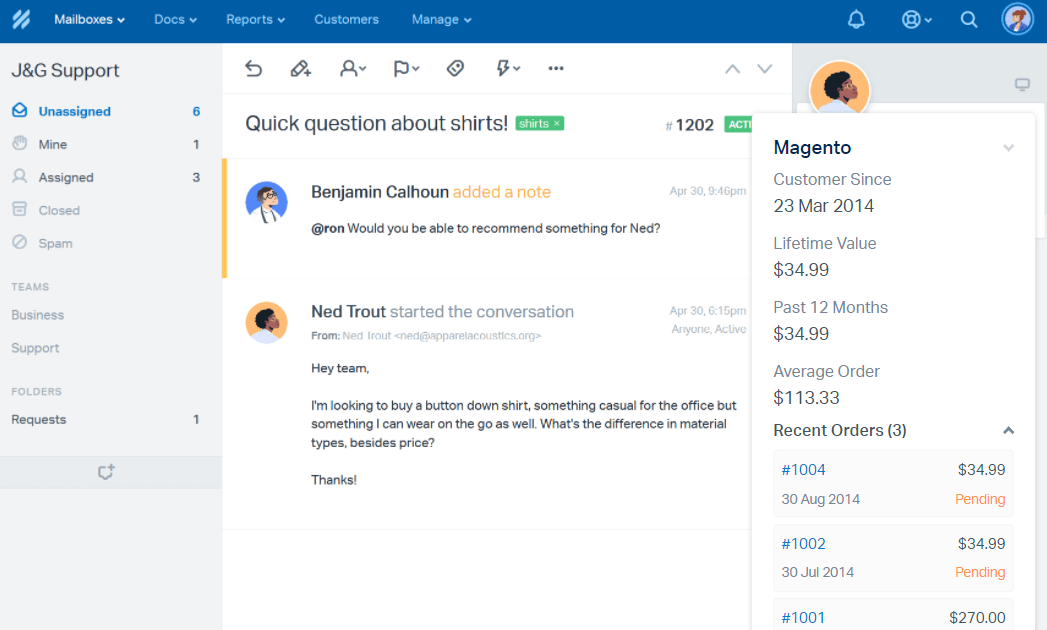
You'll be able to import registered customer contact information, view key metrics such as lifetime value and average order value, and display 10 of your registered customers' most recent orders right in Help Scout with the Magento integration.
#### In this article
- [Connect Magento 2](https://hsdemo.frodx.com/en/knowledge/connect-magento-with-help-scout-to-view-customer-data-in-sidebar-1#v2)
- [Connect Magento 1.9 or older](https://hsdemo.frodx.com/en/knowledge/connect-magento-with-help-scout-to-view-customer-data-in-sidebar-1#v19)
### Connect Magento 2
**System \> IntegrationsAdd New IntegrationAPI**  **CustomViewSales \> Operations \> Orders \> Actions**  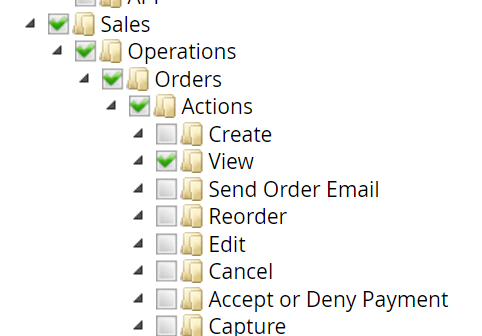 **ActionsCustomers \> All CustomersSave** 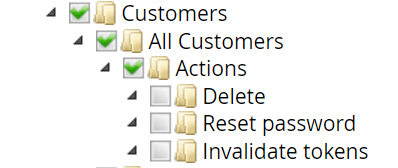 **ActivateAllow**   **Manage \> Apps \> MagentoInstall AppVersion 2Save** 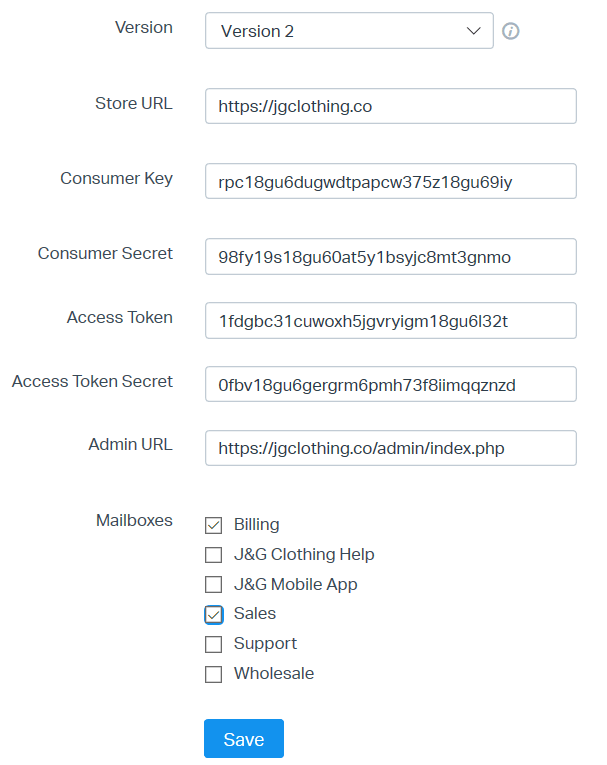  
### Connect with Magento 1.9 or older
**Manage \> Apps \> Magento. Version 1.XSystem \> Web Services \> REST - OAuth ConsumersAdd NewhelpscoutKeySecretSaveCallback URLRejected Callback URL****System \> Web Services \> REST - RolesAdd Admin RoleAdministratorSave RoleRole API ResourcesRetrieveSave Role**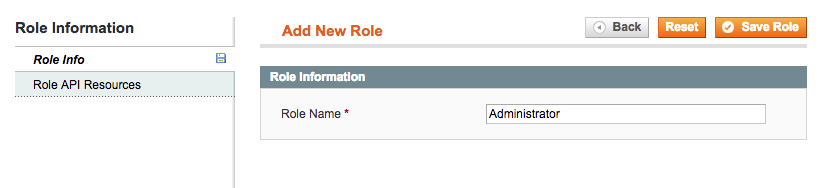**System Assign Role Resources \> Web Services \> REST - AttributesAdministratorAllResource AccessSaveSystem \> Permission \> UsersREST RoleAssignedAdministratorSave User**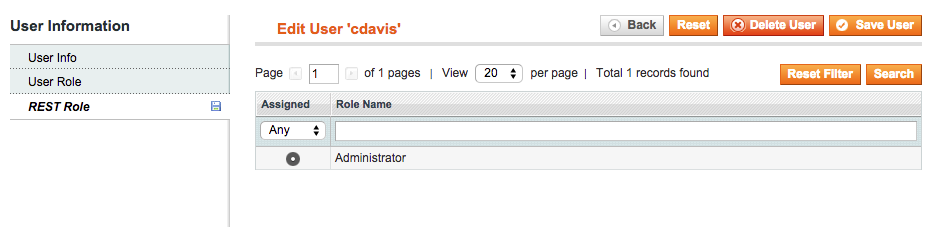**KeySecretSave** 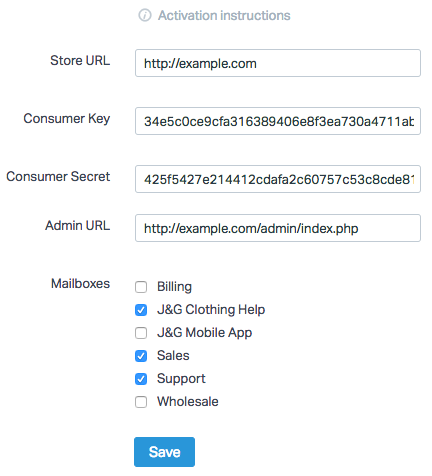 **New Account**  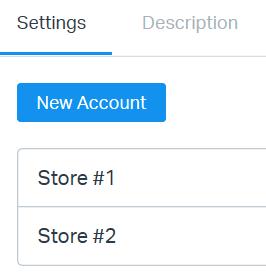 Did this answer your question? Thanks for the feedback There was a problem submitting your feedback. Please try again later.Yes No No results found
- [Docs](https://hsdemo.frodx.com/en/knowledge/docs#main-content)
- [Working with Docs](https://hsdemo.frodx.com/en/knowledge/docs#working-with-docs)
- [Formatting Content](https://hsdemo.frodx.com/en/knowledge/docs#formatting-content)
- [Managing Docs in Help Scout](https://hsdemo.frodx.com/en/knowledge/docs#managing-docs-in-help-scout)
- [Help Desk](https://hsdemo.frodx.com/en/knowledge/help-desk#main-content)
- [Mobile Apps](https://hsdemo.frodx.com/en/knowledge/help-desk#mobile-apps)
- [Getting Started](https://hsdemo.frodx.com/en/knowledge/help-desk#getting-started)
- [Productivity](https://hsdemo.frodx.com/en/knowledge/help-desk#productivity)
- [Mailbox and User Settings](https://hsdemo.frodx.com/en/knowledge/help-desk#mailbox-and-user-settings)
- [Working with Conversations](https://hsdemo.frodx.com/en/knowledge/help-desk#working-with-conversations)
- [Account Management](https://hsdemo.frodx.com/en/knowledge/help-desk#account-management)
- [Integrations](https://hsdemo.frodx.com/en/knowledge/help-desk#integrations)
- [Copying Email to Help Scout](https://hsdemo.frodx.com/en/knowledge/help-desk#copying-email-to-help-scout)
- [Reporting](https://hsdemo.frodx.com/en/knowledge/help-desk#reporting)
- [Sample Contact Page](https://hsdemo.frodx.com/sample-contact)
- [Sample About Page](https://hsdemo.frodx.com/sample-about)
- [Default HubSpot Blog](https://hsdemo.frodx.com/biglytics-blog)
[.png?width=550&height=171&name=frodx-logo-new%20(1).png "FrodX")](https://en.frodx.com/)
[mailto:email@email.com](mailto:email@email.com)
Copyright © 2026, GateHub Ltd