---
title: Customer Profiles
description: Profiles in Help Scout are built automatically when a customer emails your support address for the first time. We'll also create a profile when you compose a new conversation on behalf of the customer
---
[Skip to content](https://hsdemo.frodx.com/en/knowledge/customer-profiles#main-content)
English
Show submenu for translations
.png?width=550&height=171&name=frodx-logo-new%20(1).png)
- [Sample Contact Page](https://hsdemo.frodx.com/sample-contact)
- [Sample About Page](https://hsdemo.frodx.com/sample-about)
- [Default HubSpot Blog](https://hsdemo.frodx.com/biglytics-blog)
Open main navigation
Close main navigation
- [Sample Contact Page](https://hsdemo.frodx.com/sample-contact)
- [Sample About Page](https://hsdemo.frodx.com/sample-about)
- [Default HubSpot Blog](https://hsdemo.frodx.com/biglytics-blog)
- English
Show submenu for translations
- Contact us
Contact us
How can we help you?
- There are no suggestions because the search field is empty.
1. [Help Center](https://hsdemo.frodx.com/en/knowledge)
2. [Help Desk](https://hsdemo.frodx.com/en/knowledge/help-desk)
3. [Working with Conversations](https://hsdemo.frodx.com/en/knowledge/help-desk#working-with-conversations)
# Customer Profiles
Profiles in Help Scout are built automatically when a customer emails your support address for the first time. We'll also create a profile when you compose a new conversation on behalf of the customer. This article talks about editing and updating profile information.
#### In this article
- [Edit a Customer Profile](https://hsdemo.frodx.com/en/knowledge/customer-profiles#edit)
- [Automatically Populate Customer Profiles With Gravatar](https://hsdemo.frodx.com/en/knowledge/customer-profiles#gravatar)
### Edit a Customer Profile
You can edit all profile fields right from a conversation — just click the customer's name in the sidebar — or click Customers in the top menu, find the customer, and click on their name. Changes made in the profile editor are saved automatically.
 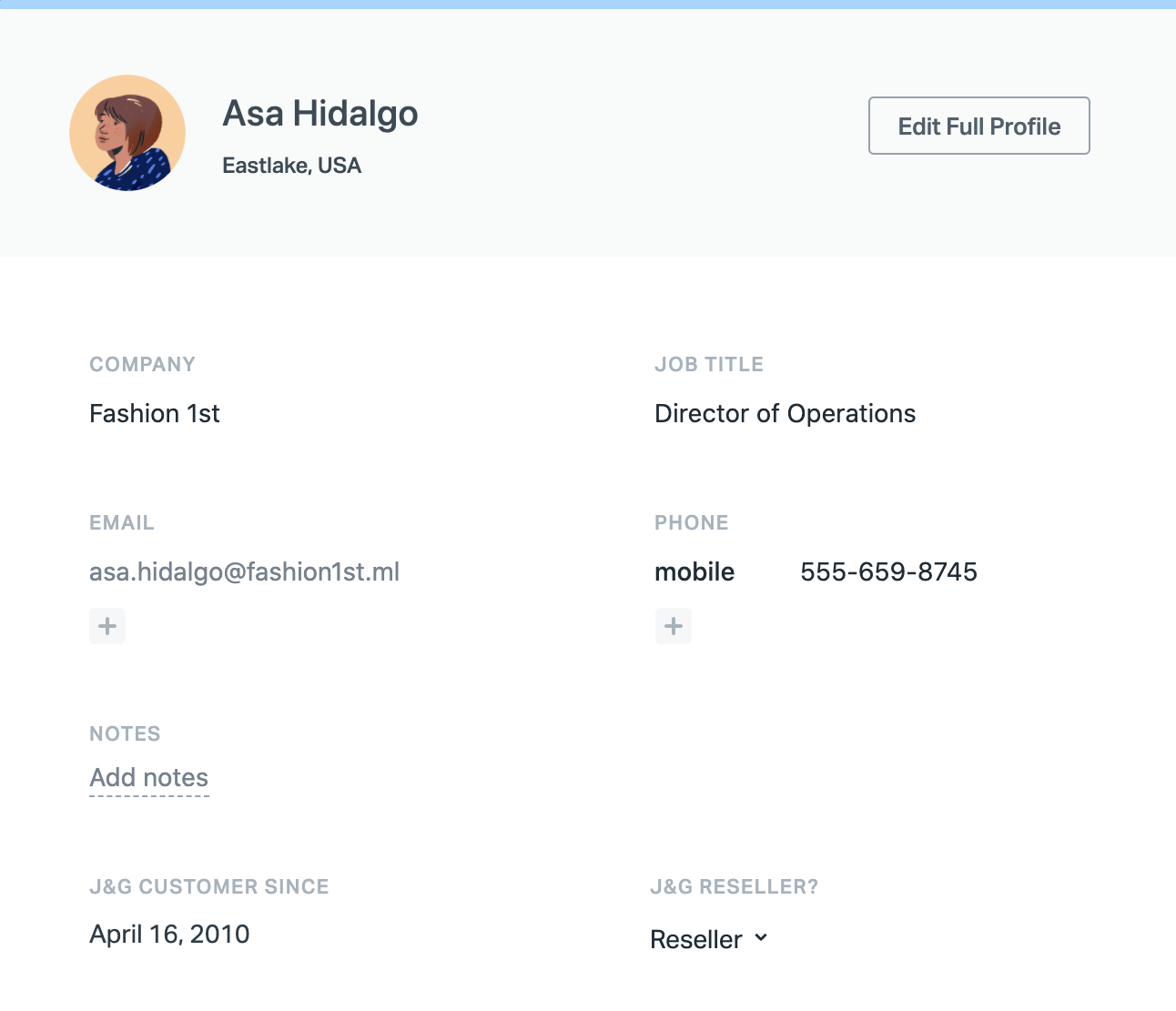
To access the full conversation history or start a new email, click **Edit full profile.**
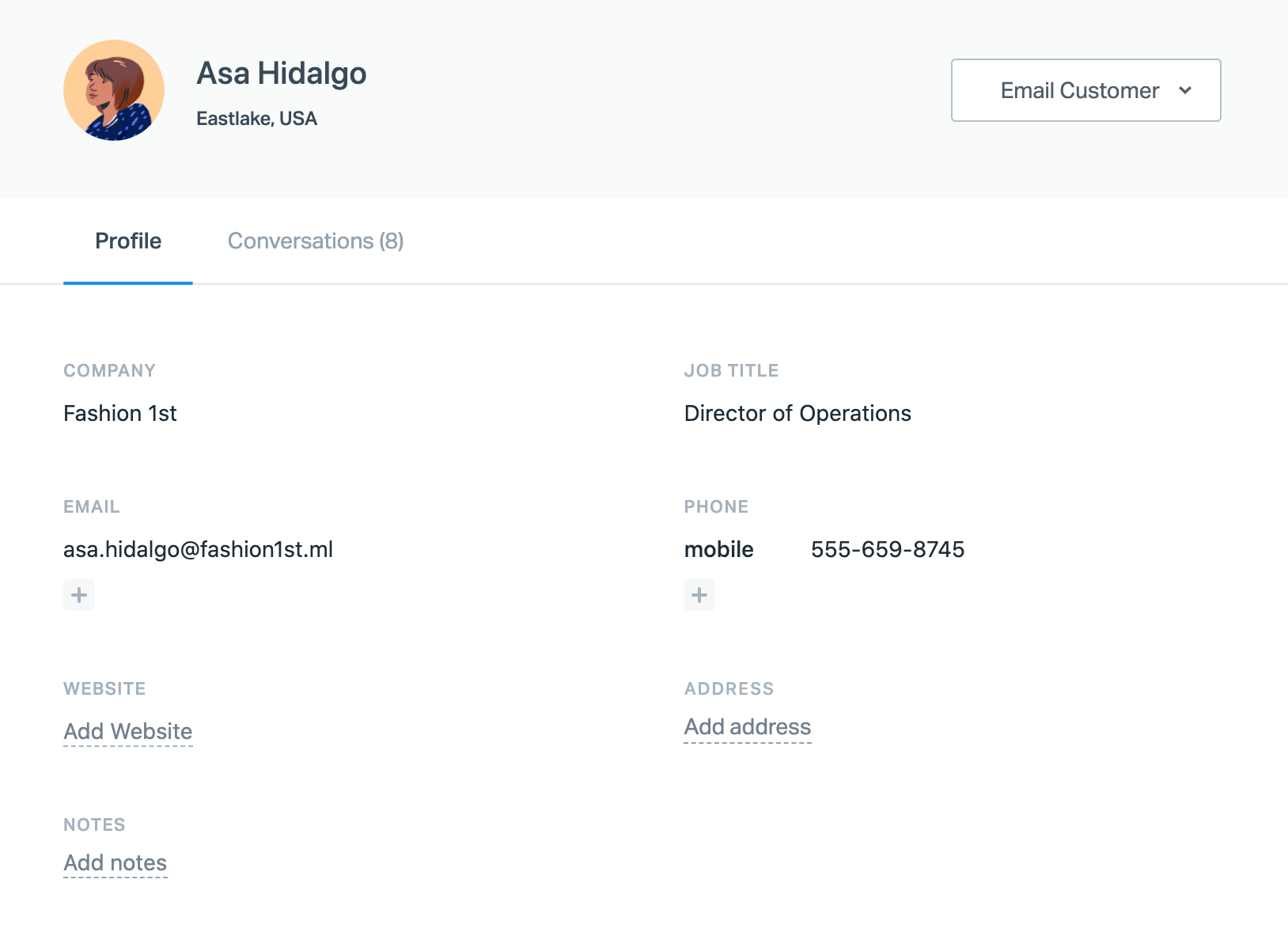
To delete a customer profile, see [About Deleting Profiles](https://5256150.hs-sites.com/knowledge/about-deleting-customer-profiles) for more information on what is deleted and the steps to complete it.
#### Profile Fields
The customer profile offers the following fields by default:
- First Name
- Last Name
- Company
- Job Title
- Email
- Phone
- Website
- Address
- Notes
The Notes field is a good place to add general notes, as those notes show up in the sidebar when you're working on a conversation. To add multiple lines of information to the Notes field, press Shift+Enter to create a new line.
In addition to the default fields, your Account Owner and Administrators can create additional customer properties that can be populated manually or programmatically. See [Customer Properties](https://5256150.hs-sites.com/knowledge/customer-properties) for more information on that feature!
### Automatically Populate Customer Profiles With Gravatar
Help Scout is [Gravatar](https://www.gravatar.com/)-enabled! This allows us to automatically populate Help Scout customer profiles with their Gravatar profile information associated with their email address, when such a profile exists.
This integration with Gravatar enabled by default. Your Account Owner or Administrator can head to **Manage \> Company Settings \> Edit Company** and toggle the **Enrich Customer Data** switch off if you would rather not use Gravatar to populate your customers' information.
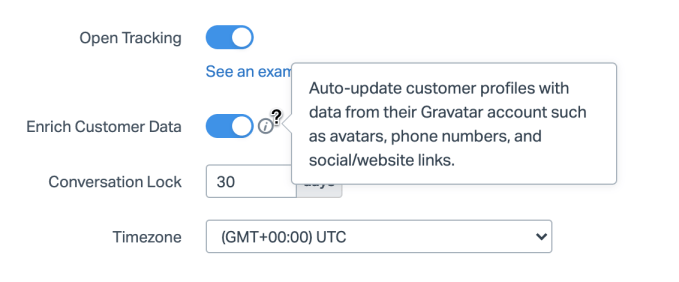
Your customers have full control of their Gravatar profiles — you can direct them right to [Gravatar](https://www.gravatar.com/) to update or correct any information there.
There is some housekeeping that you can do within Help Scout, such as removing their image by clicking on the trash can icon when you hover on their photo. You're also able to overwrite certain data, like the Company and Job Title.
If you toggle Enrich Customer Data off after using it, any previously synced data will remain, but Help Scout will no longer connect to Gravatar for updates to existing data or to get new customer data.
Did this answer your question? Thanks for the feedback There was a problem submitting your feedback. Please try again later.Yes No No results found
- [Docs](https://hsdemo.frodx.com/en/knowledge/docs#main-content)
- [Working with Docs](https://hsdemo.frodx.com/en/knowledge/docs#working-with-docs)
- [Formatting Content](https://hsdemo.frodx.com/en/knowledge/docs#formatting-content)
- [Managing Docs in Help Scout](https://hsdemo.frodx.com/en/knowledge/docs#managing-docs-in-help-scout)
- [Help Desk](https://hsdemo.frodx.com/en/knowledge/help-desk#main-content)
- [Mobile Apps](https://hsdemo.frodx.com/en/knowledge/help-desk#mobile-apps)
- [Getting Started](https://hsdemo.frodx.com/en/knowledge/help-desk#getting-started)
- [Productivity](https://hsdemo.frodx.com/en/knowledge/help-desk#productivity)
- [Mailbox and User Settings](https://hsdemo.frodx.com/en/knowledge/help-desk#mailbox-and-user-settings)
- [Working with Conversations](https://hsdemo.frodx.com/en/knowledge/help-desk#working-with-conversations)
- [Account Management](https://hsdemo.frodx.com/en/knowledge/help-desk#account-management)
- [Integrations](https://hsdemo.frodx.com/en/knowledge/help-desk#integrations)
- [Copying Email to Help Scout](https://hsdemo.frodx.com/en/knowledge/help-desk#copying-email-to-help-scout)
- [Reporting](https://hsdemo.frodx.com/en/knowledge/help-desk#reporting)
- [Sample Contact Page](https://hsdemo.frodx.com/sample-contact)
- [Sample About Page](https://hsdemo.frodx.com/sample-about)
- [Default HubSpot Blog](https://hsdemo.frodx.com/biglytics-blog)
[.png?width=550&height=171&name=frodx-logo-new%20(1).png "FrodX")](https://en.frodx.com/)
[mailto:email@email.com](mailto:email@email.com)
Copyright © 2026, GateHub Ltd