---
title: Homepage layout options
description: "When it comes to your Docs site, there are two different options for setting up the layout of your home page: Most Popular Articles or Categories. Each have their own unique look and advantages, and c"
---
[Skip to content](https://hsdemo.frodx.com/en/knowledge/homepage-layout-options#main-content)
English
Show submenu for translations
.png?width=550&height=171&name=frodx-logo-new%20(1).png)
- [Sample Contact Page](https://hsdemo.frodx.com/sample-contact)
- [Sample About Page](https://hsdemo.frodx.com/sample-about)
- [Default HubSpot Blog](https://hsdemo.frodx.com/biglytics-blog)
Open main navigation
Close main navigation
- [Sample Contact Page](https://hsdemo.frodx.com/sample-contact)
- [Sample About Page](https://hsdemo.frodx.com/sample-about)
- [Default HubSpot Blog](https://hsdemo.frodx.com/biglytics-blog)
- English
Show submenu for translations
- Contact us
Contact us
How can we help you?
- There are no suggestions because the search field is empty.
1. [Help Center](https://hsdemo.frodx.com/en/knowledge)
2. [Docs](https://hsdemo.frodx.com/en/knowledge/docs)
3. [Working with Docs](https://hsdemo.frodx.com/en/knowledge/docs#working-with-docs)
# Homepage layout options
When it comes to your Docs site, there are two different options for setting up the layout of your home page: **Most Popular Articles** or **Categories**. Each have their own unique look and advantages, and can be easily changed under your site settings. This article is all about the home page layout options we offer.
#### In this article
- [Home page setting](https://hsdemo.frodx.com/en/knowledge/homepage-layout-options#settings)
- [Most Popular Articles](https://hsdemo.frodx.com/en/knowledge/homepage-layout-options#popular)
- [Categories](https://hsdemo.frodx.com/en/knowledge/homepage-layout-options#categories)
### Home page setting
You can change the setting for the home page by heading to **Manage → Docs → Site Settings**, and scrolling down to the *Site Information* section. Under the *Show on Home Page* drop-down menu, you can select one of the options: *Most Popular Articles* or *Categories*.

### Most Popular Articles
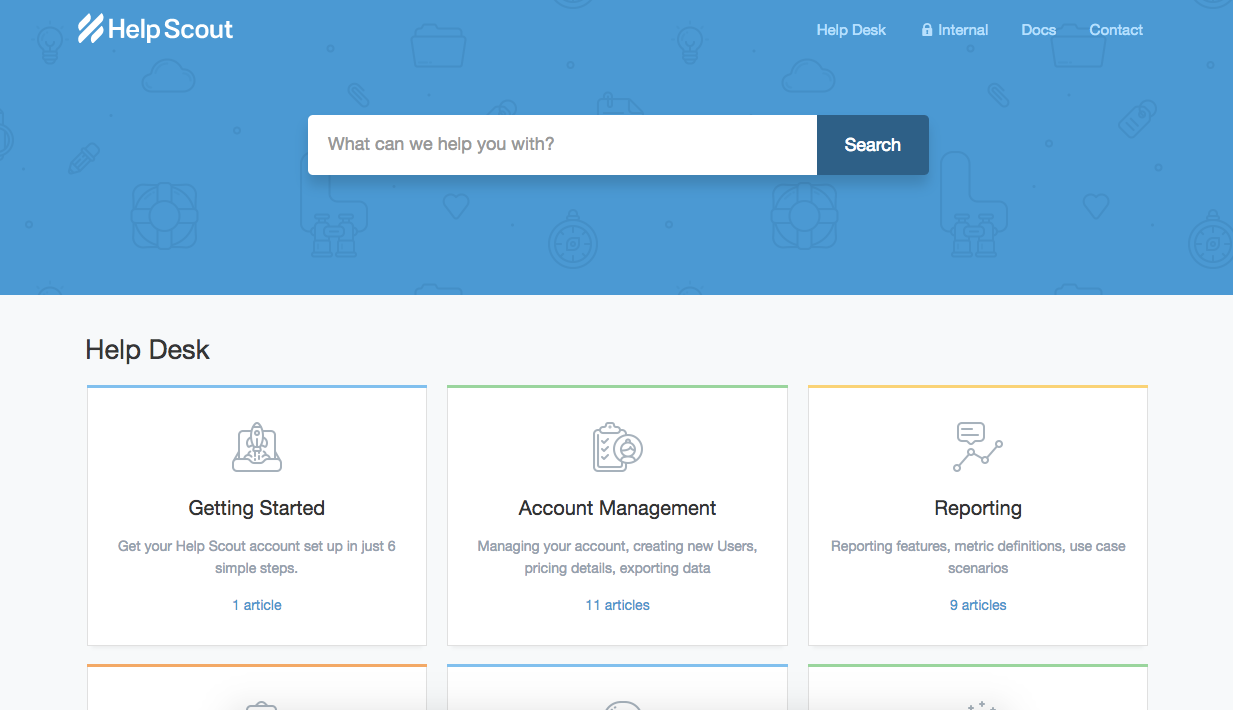
The *Most Popular Articles* option gives you the opportunity to show your customers exactly that: your most popular articles. It comes in handy when your customers aren't sure where to start looking for help, or what to search for. Here are some great examples of what that looks like:
 
If you have one collection and choose the *Most Popular Articles* option, we will show both categories and your most popular articles. If you have multiple collections, only the article links will be shown.
### Categories
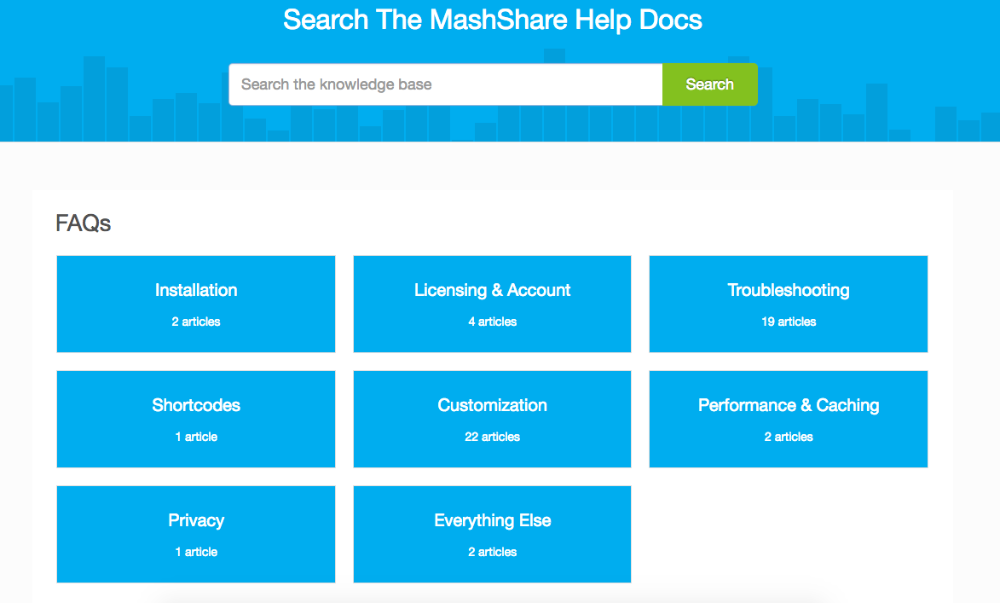
The *Categories* option lets you display all of your categories in blocked off segments to quickly give your customers an idea of exactly which topics they may be after, and have them neatly grouped together. We have some great examples of what that looks like:
  Did this answer your question? Thanks for the feedback There was a problem submitting your feedback. Please try again later.Yes No No results found
- [Docs](https://hsdemo.frodx.com/en/knowledge/docs#main-content)
- [Working with Docs](https://hsdemo.frodx.com/en/knowledge/docs#working-with-docs)
- [Formatting Content](https://hsdemo.frodx.com/en/knowledge/docs#formatting-content)
- [Managing Docs in Help Scout](https://hsdemo.frodx.com/en/knowledge/docs#managing-docs-in-help-scout)
- [Help Desk](https://hsdemo.frodx.com/en/knowledge/help-desk#main-content)
- [Mobile Apps](https://hsdemo.frodx.com/en/knowledge/help-desk#mobile-apps)
- [Getting Started](https://hsdemo.frodx.com/en/knowledge/help-desk#getting-started)
- [Productivity](https://hsdemo.frodx.com/en/knowledge/help-desk#productivity)
- [Mailbox and User Settings](https://hsdemo.frodx.com/en/knowledge/help-desk#mailbox-and-user-settings)
- [Working with Conversations](https://hsdemo.frodx.com/en/knowledge/help-desk#working-with-conversations)
- [Account Management](https://hsdemo.frodx.com/en/knowledge/help-desk#account-management)
- [Integrations](https://hsdemo.frodx.com/en/knowledge/help-desk#integrations)
- [Copying Email to Help Scout](https://hsdemo.frodx.com/en/knowledge/help-desk#copying-email-to-help-scout)
- [Reporting](https://hsdemo.frodx.com/en/knowledge/help-desk#reporting)
- [Sample Contact Page](https://hsdemo.frodx.com/sample-contact)
- [Sample About Page](https://hsdemo.frodx.com/sample-about)
- [Default HubSpot Blog](https://hsdemo.frodx.com/biglytics-blog)
[.png?width=550&height=171&name=frodx-logo-new%20(1).png "FrodX")](https://en.frodx.com/)
[mailto:email@email.com](mailto:email@email.com)
Copyright © 2026, GateHub Ltd