---
title: Report on Custom Fields
description: Custom fields data is integrated with Help Scout's built in reports, allowing you to get a quick view of the data, or filter your reports based on specific fields. Reporting on custom fields requires
---
[Skip to content](https://hsdemo.frodx.com/en/knowledge/report-on-custom-fields#main-content)
English
Show submenu for translations
.png?width=550&height=171&name=frodx-logo-new%20(1).png)
- [Sample Contact Page](https://hsdemo.frodx.com/sample-contact)
- [Sample About Page](https://hsdemo.frodx.com/sample-about)
- [Default HubSpot Blog](https://hsdemo.frodx.com/biglytics-blog)
Open main navigation
Close main navigation
- [Sample Contact Page](https://hsdemo.frodx.com/sample-contact)
- [Sample About Page](https://hsdemo.frodx.com/sample-about)
- [Default HubSpot Blog](https://hsdemo.frodx.com/biglytics-blog)
- English
Show submenu for translations
- Contact us
Contact us
How can we help you?
- There are no suggestions because the search field is empty.
1. [Help Center](https://hsdemo.frodx.com/en/knowledge)
2. [Help Desk](https://hsdemo.frodx.com/en/knowledge/help-desk)
3. [Reporting](https://hsdemo.frodx.com/en/knowledge/help-desk#reporting)
# Report on Custom Fields
Custom fields data is integrated with Help Scout's built in reports, allowing you to get a quick view of the data, or filter your reports based on specific fields.
Reporting on custom fields requires the [custom fields](https://5256150.hs-sites.com/knowledge/work-with-custom-fields) feature, which is included in the Plus and Pro plans.
#### In this article
- [Dropdown Custom Fields](https://hsdemo.frodx.com/en/knowledge/report-on-custom-fields#dropdowns)
- [Using Views With All Data Types](https://hsdemo.frodx.com/en/knowledge/report-on-custom-fields#views)
- [Report Exports](https://hsdemo.frodx.com/en/knowledge/report-on-custom-fields#exports)
### Dropdown Custom Fields
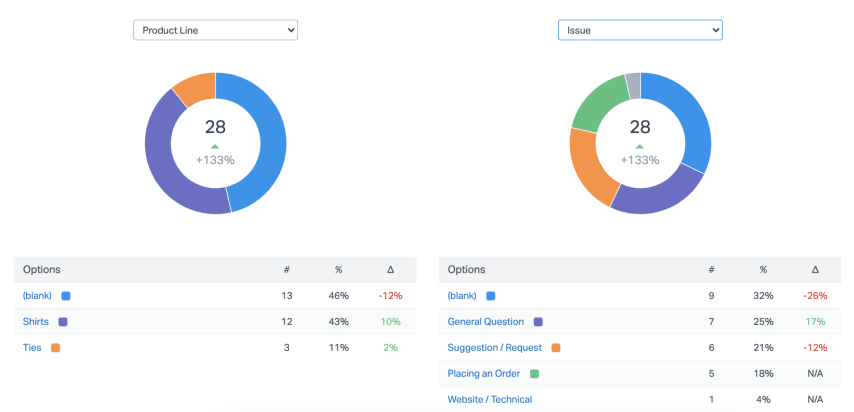
Up to two graphs are available in the All Channels report to show the custom field data for any custom fields that are using the dropdown data type. If you have more than 2 dropdown custom fields, you'll find a selector to change which custom field is shown for either graph.
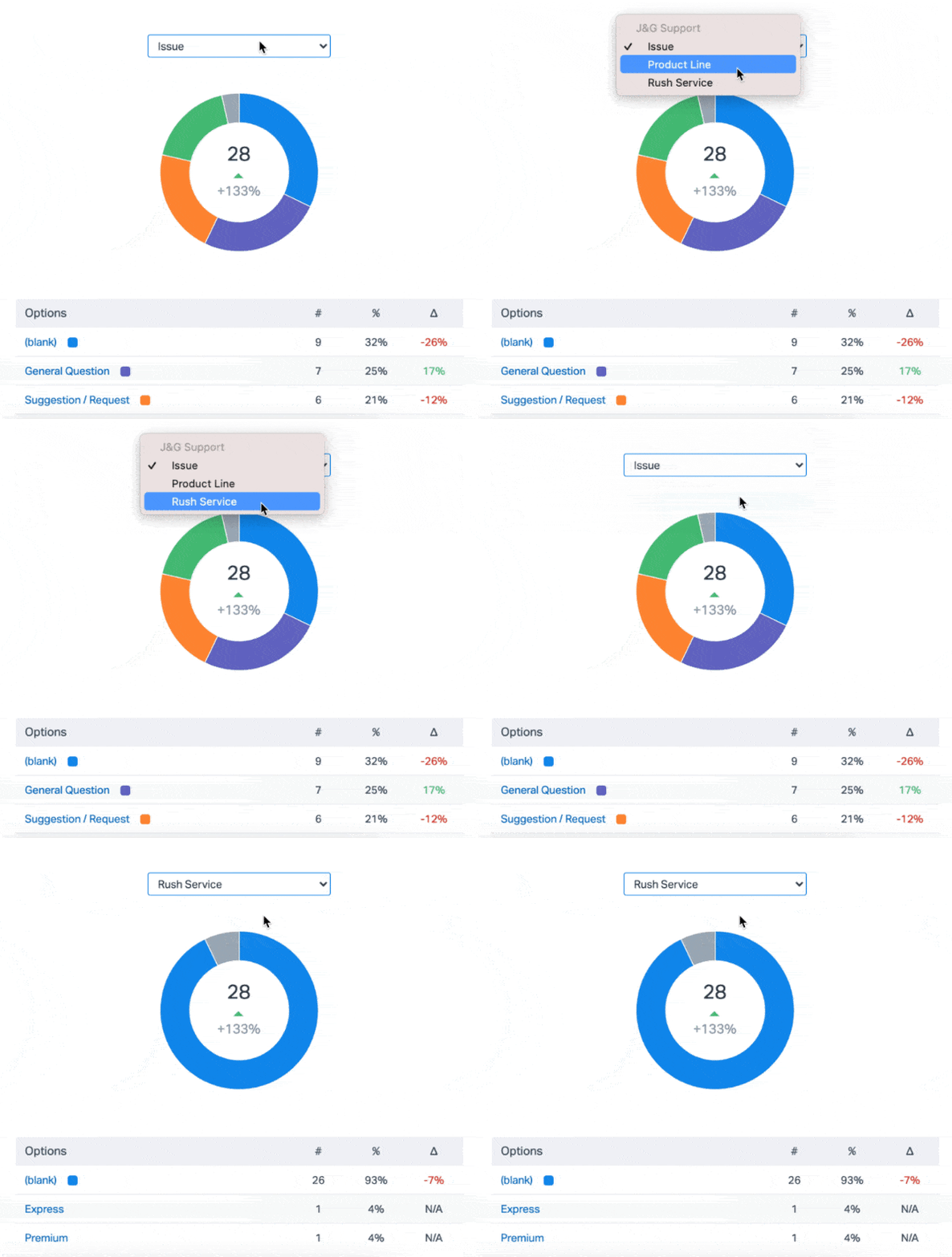
The table below the graph breaks things down a bit more: how frequently a specific option (or no option) is being chosen, the overall percentage of its usage, and the change from any comparison time period if you chose one.
#### Drill Down
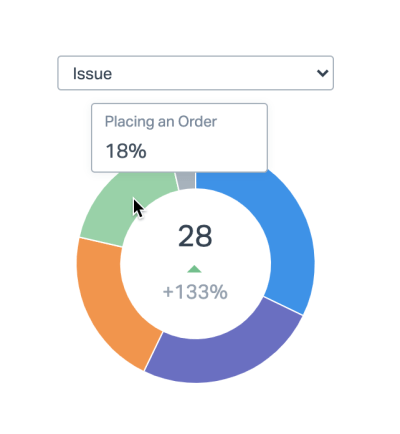
Hovering over the different colors of the graph will show the percentage that each custom field option makes up, and also gives you a solid idea of how dominant or frequently used some fields may be over the others.
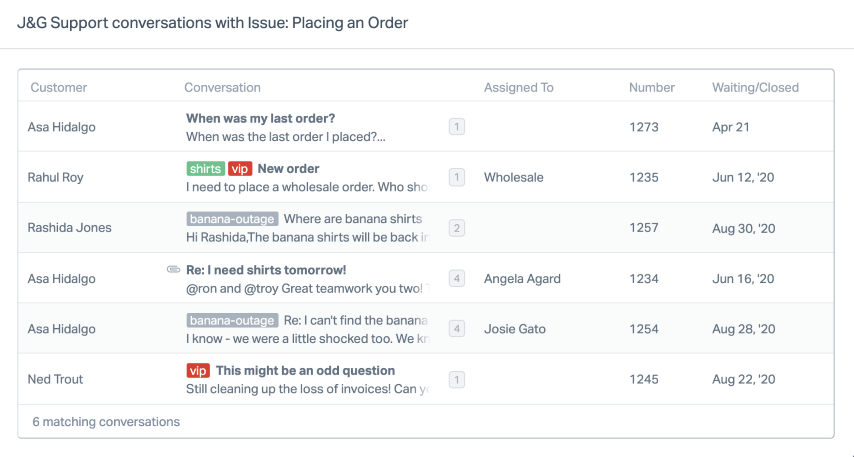
Clicking on the link for each custom field option in the table will bring up a list of all the corresponding conversations, so that you can have a quick and convenient view, very similar to the other tables in the All Channels Report.
### Using Views With All Data Types
Views in reports allow you use all of the custom field data types in reports. You can compare multiple custom fields in the All Channels report, or use views to filter reports to drill down into specific segments of other reports.
Never used reporting views before? Check out [Use Views to Filter Reporting Data](https://5256150.hs-sites.com/knowledge/use-views-to-filter-reporting-data) to get more information on that feature.
The example below shows how you can use multiple custom fields in the All Channels report to find data trends and answer questions.
*"Do we get more suggestions about shirts or ties?"*
Set up a view that's looking for the *Issue* of **Suggestion / Request**, and the *Product Lines* of **Shirts** and **Ties**.
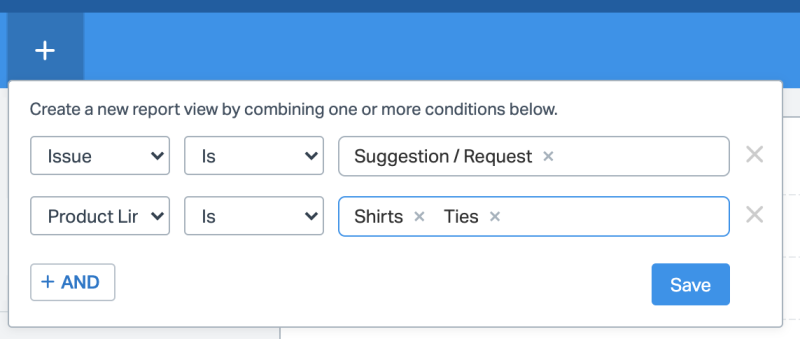
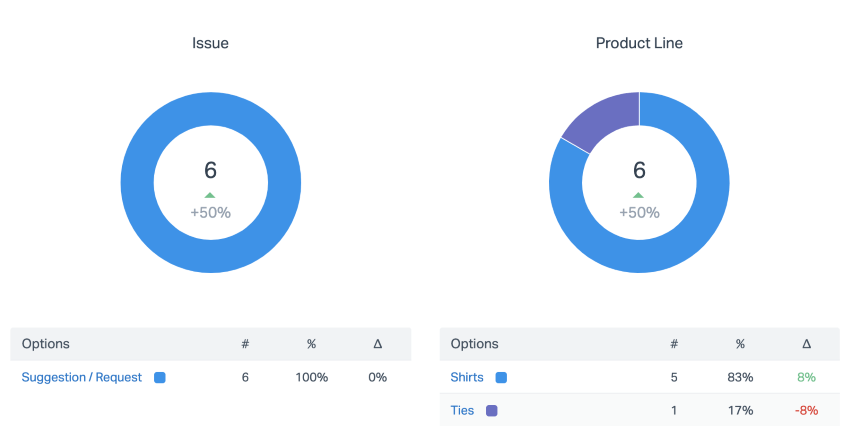
Save the view, then you can scroll down to the rest of the rest of the report that is now showing only the fields you set in the view. It looks like we don't get many suggestions about ties at all!
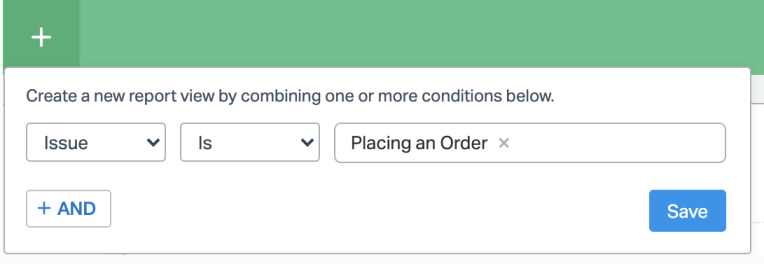
The custom fields are available for other reports' views as well. For example, if you wanted to see the [Email report](https://5256150.hs-sites.com/knowledge/reports-email) only for conversations that had *Issue* set to **Placing an Order**, specify that as a view.
Now the Email report you see is only showing you data for the conversations that have Placing an Order as their Issue. 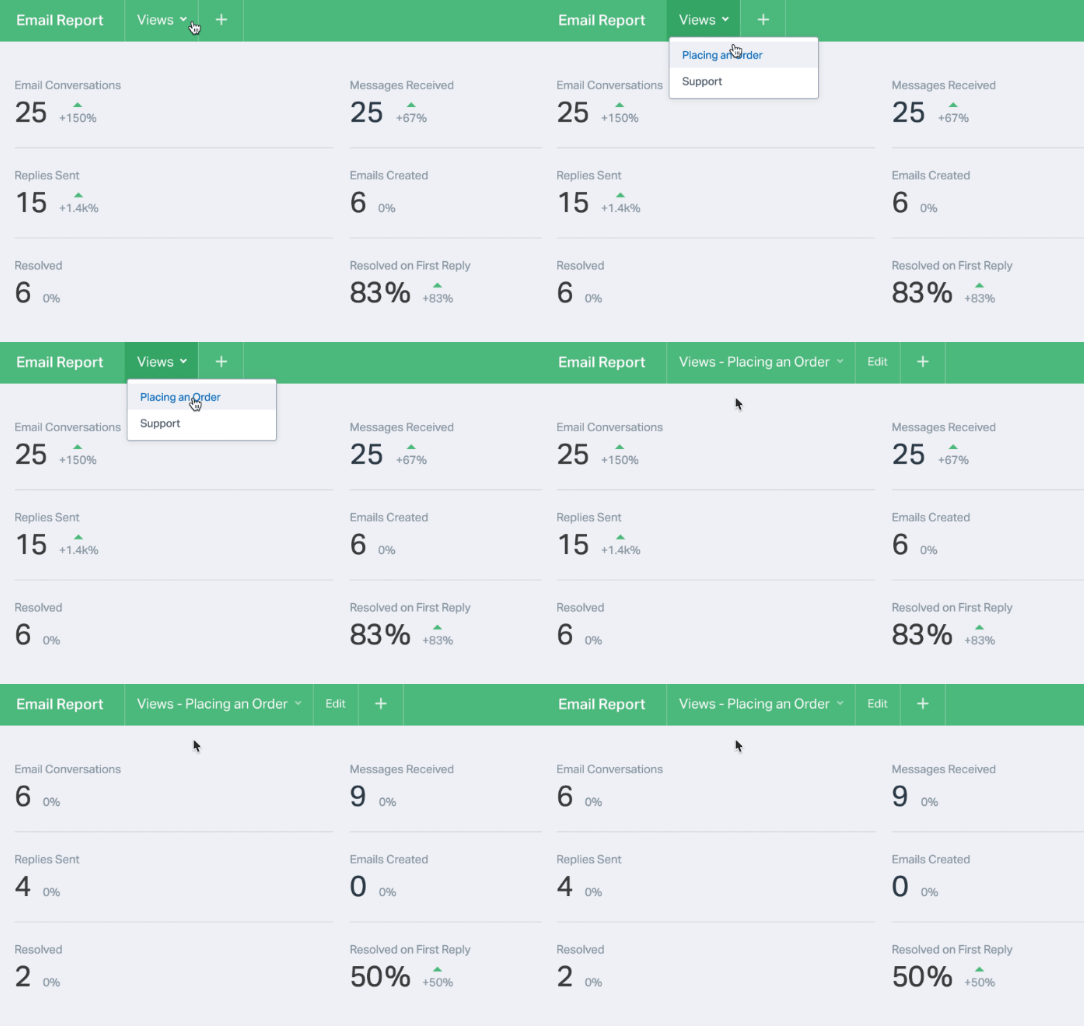
### Report Exports
Custom field data is included in report exports where available. For more details on exports, see [Export Reporting Data](https://5256150.hs-sites.com/knowledge/export-reporting-data).
Did this answer your question? Thanks for the feedback There was a problem submitting your feedback. Please try again later.Yes No No results found
- [Docs](https://hsdemo.frodx.com/en/knowledge/docs#main-content)
- [Working with Docs](https://hsdemo.frodx.com/en/knowledge/docs#working-with-docs)
- [Formatting Content](https://hsdemo.frodx.com/en/knowledge/docs#formatting-content)
- [Managing Docs in Help Scout](https://hsdemo.frodx.com/en/knowledge/docs#managing-docs-in-help-scout)
- [Help Desk](https://hsdemo.frodx.com/en/knowledge/help-desk#main-content)
- [Mobile Apps](https://hsdemo.frodx.com/en/knowledge/help-desk#mobile-apps)
- [Getting Started](https://hsdemo.frodx.com/en/knowledge/help-desk#getting-started)
- [Productivity](https://hsdemo.frodx.com/en/knowledge/help-desk#productivity)
- [Mailbox and User Settings](https://hsdemo.frodx.com/en/knowledge/help-desk#mailbox-and-user-settings)
- [Working with Conversations](https://hsdemo.frodx.com/en/knowledge/help-desk#working-with-conversations)
- [Account Management](https://hsdemo.frodx.com/en/knowledge/help-desk#account-management)
- [Integrations](https://hsdemo.frodx.com/en/knowledge/help-desk#integrations)
- [Copying Email to Help Scout](https://hsdemo.frodx.com/en/knowledge/help-desk#copying-email-to-help-scout)
- [Reporting](https://hsdemo.frodx.com/en/knowledge/help-desk#reporting)
- [Sample Contact Page](https://hsdemo.frodx.com/sample-contact)
- [Sample About Page](https://hsdemo.frodx.com/sample-about)
- [Default HubSpot Blog](https://hsdemo.frodx.com/biglytics-blog)
[.png?width=550&height=171&name=frodx-logo-new%20(1).png "FrodX")](https://en.frodx.com/)
[mailto:email@email.com](mailto:email@email.com)
Copyright © 2026, GateHub Ltd