---
title: Search in Help Scout
description: Searching in Help Scout is a great way to quickly locate conversations, customers, and Docs articles. Here we'll show you how to do a basic search, get fancy with filters, and take some action — all f
---
[Skip to content](https://hsdemo.frodx.com/en/knowledge/search-in-help-scout#main-content)
English
Show submenu for translations
.png?width=550&height=171&name=frodx-logo-new%20(1).png)
- [Sample Contact Page](https://hsdemo.frodx.com/sample-contact)
- [Sample About Page](https://hsdemo.frodx.com/sample-about)
- [Default HubSpot Blog](https://hsdemo.frodx.com/biglytics-blog)
Open main navigation
Close main navigation
- [Sample Contact Page](https://hsdemo.frodx.com/sample-contact)
- [Sample About Page](https://hsdemo.frodx.com/sample-about)
- [Default HubSpot Blog](https://hsdemo.frodx.com/biglytics-blog)
- English
Show submenu for translations
- Contact us
Contact us
How can we help you?
- There are no suggestions because the search field is empty.
1. [Help Center](https://hsdemo.frodx.com/en/knowledge)
2. [Help Desk](https://hsdemo.frodx.com/en/knowledge/help-desk)
3. [Productivity](https://hsdemo.frodx.com/en/knowledge/help-desk#productivity)
# Search in Help Scout
Searching in Help Scout is a great way to quickly locate conversations, customers, and Docs articles. Here we'll show you how to do a basic search, get fancy with filters, and take some action — all from the magnifying glass icon in the top right corner!
Check out the [Customers List](https://docs.helpscout.com/article/1328-customers-list) for a customer specific search tool!
#### In this article
- [Search and Results](https://hsdemo.frodx.com/en/knowledge/search-in-help-scout#results)
- [Refine With Filters](https://hsdemo.frodx.com/en/knowledge/search-in-help-scout#refine)
- [Perform Bulk Actions](https://hsdemo.frodx.com/en/knowledge/search-in-help-scout#bulk)
- [Save Searches](https://hsdemo.frodx.com/en/knowledge/search-in-help-scout#save)
- [Search Permissions](https://hsdemo.frodx.com/en/knowledge/search-in-help-scout#who)
### Search and Results
To start a new search, click on the magnifying glass icon in the right corner of the top menu.

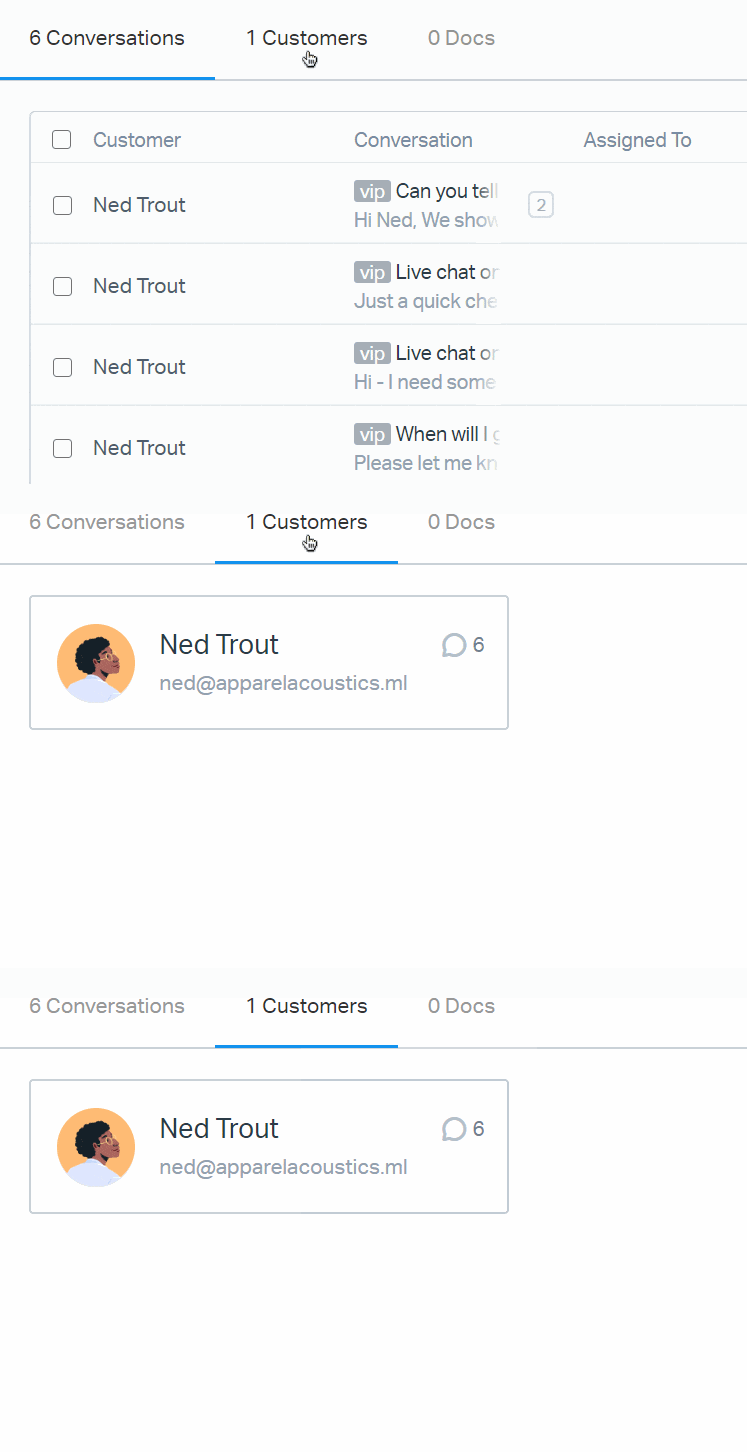
Type in your search terms and hit Return/Enter. You'll see your search results below. At the top of the search results you will find the number of each type of result that matched. Every search will return matches in conversations, customers, and docs articles — just click the header to switch.
*New* As of May 2022, words you search for will also find any attached files that contain those words in the file name.
#### Conversations
Click on the conversation from the results to view a preview right in the modal. If you need to see the entire conversation history, click the Open Conversation link in the top right corner. Right click and choose to open it in a new tab or window to keep your place!
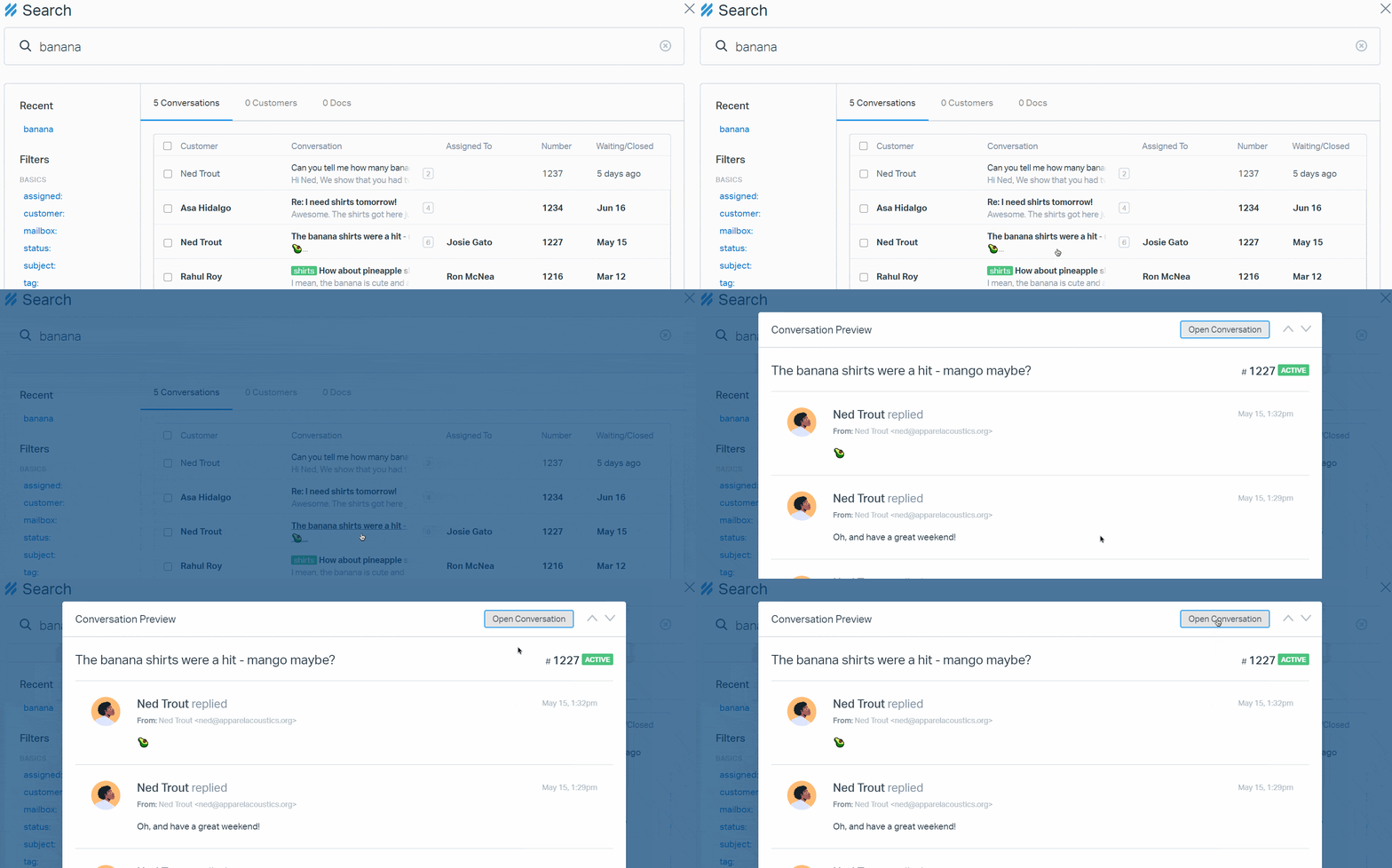
If you prefer to navigate using your keyboard without clicking, press the down arrow to jump from the search bar to your search results. Hit Return / Enter when the blue indicator reaches the conversation you want to view.
#### Customers
Click on the customer tile to be taken to the full customer profile.
#### Docs
Click the link to the article to open the article in Docs administration.
### Refine With Filters
You can use the search filters in the left sidebar to narrow your search results. You can either click on the filter from that menu to pop it up in the search bar, or just start typing and they will automatically populate. You can combine as many operators as you need to narrow your search.
Hop over to [Search Filters With Operators](https://docs.helpscout.com/article/47-search-filters-with-operators?_ga=2.232625503.175449886.1652186376-1024939178.1594416462) for a full list of the filters and the operators you can use with each.
Pro-tip: The last 5 searches that you've made will show in the left menu under *Recent* - just click one of those to automatically search with the same filters!
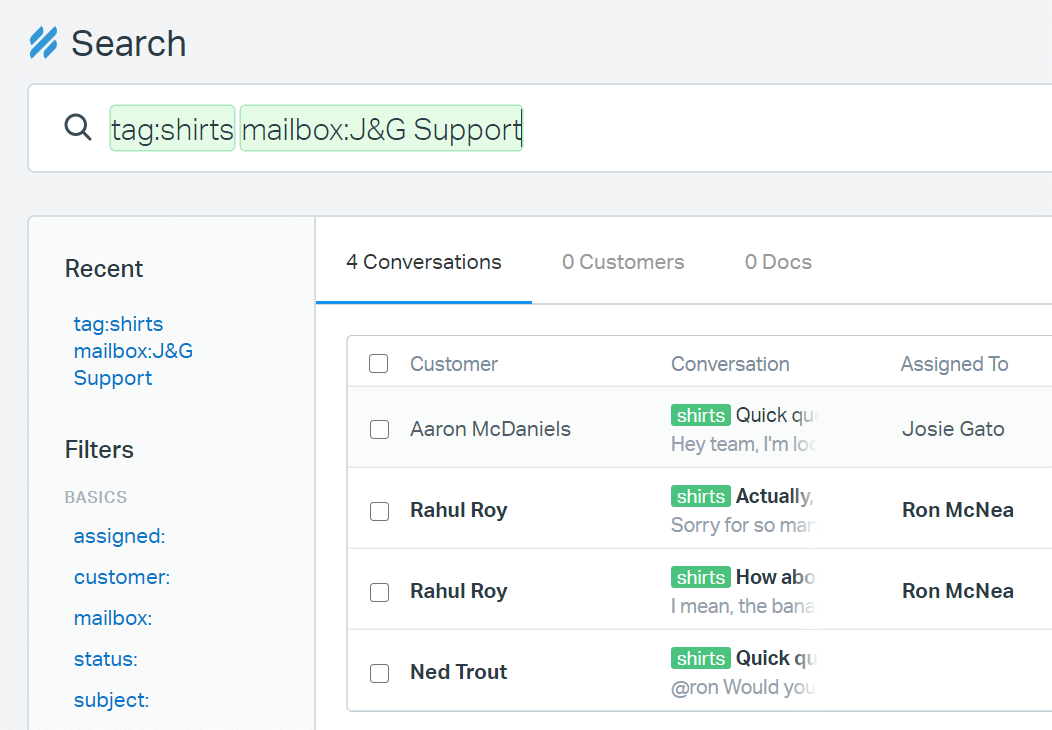
In addition to adding many different filters in one search, you can also use AND/OR logic with a single filter. For example, if you typed in ***tag:shirts,ties***, it would yield results for conversations containing either the "shirts" *OR* "ties" tags. Conversely, if you typed in ***tag:shirts tag:ties***, it would bring up conversations that were tagged with "shirts" *AND* "ties".
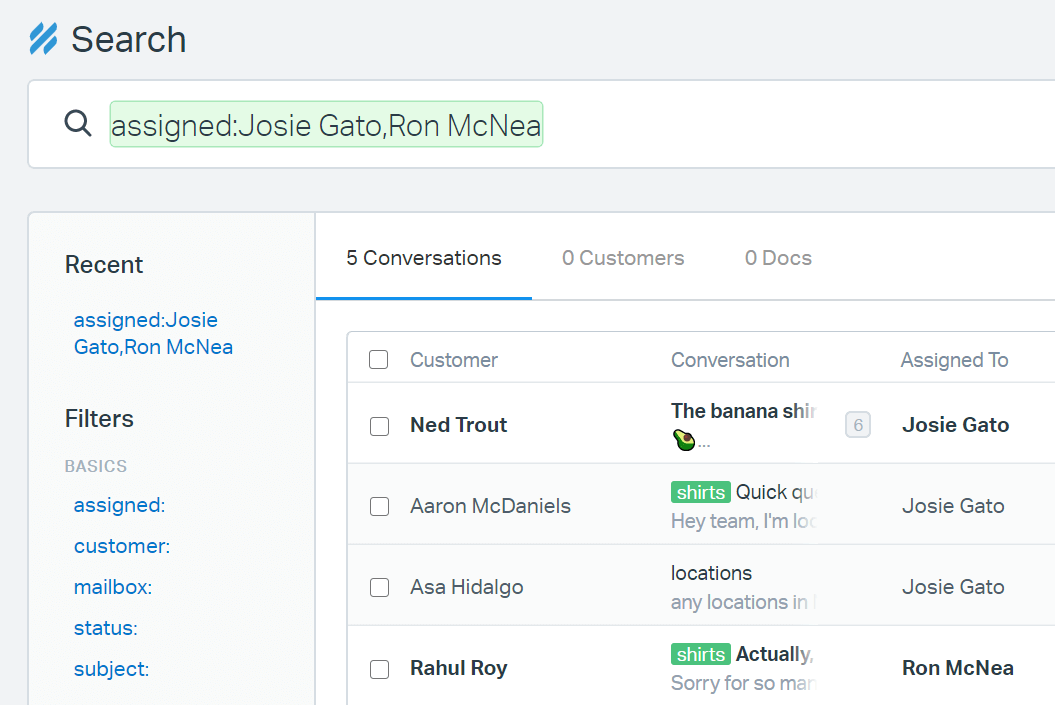
In the search below, we want to see all conversations that are assigned to either Josie *or* Ron. The results will bring up all conversations that are assigned to either of these Users.
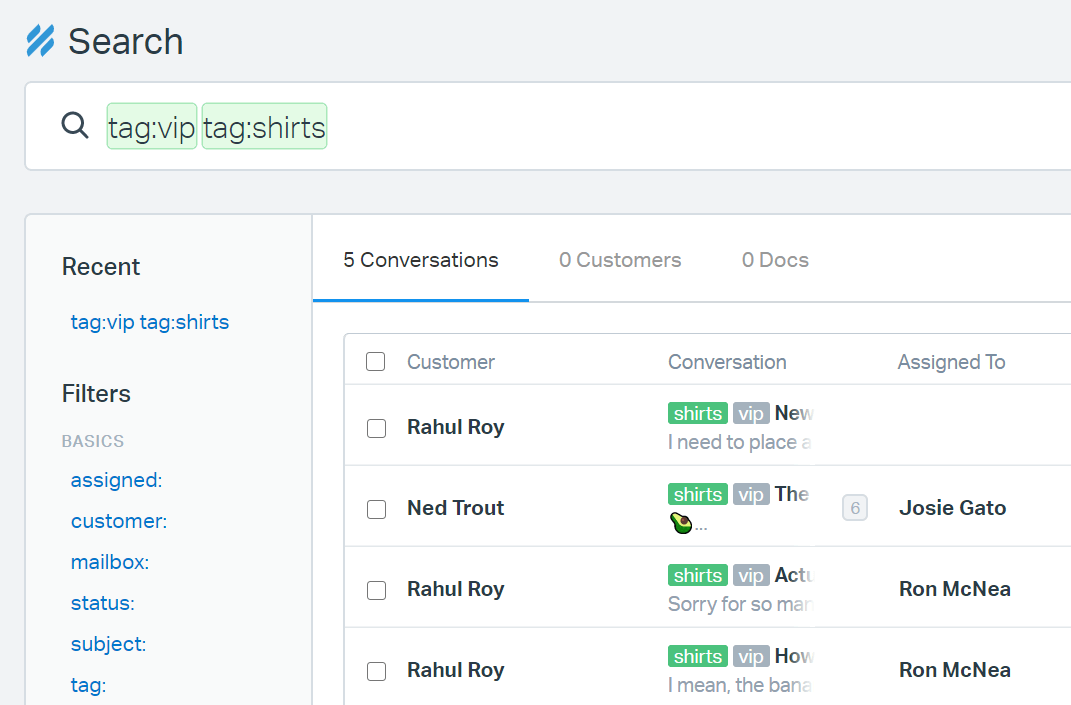
In the example below, we'd like to see just how many conversations are tagged both "vip" *and* "shirts". This will show us how many have both tags so that we can tend to those VIP customers.
### Perform Bulk Actions
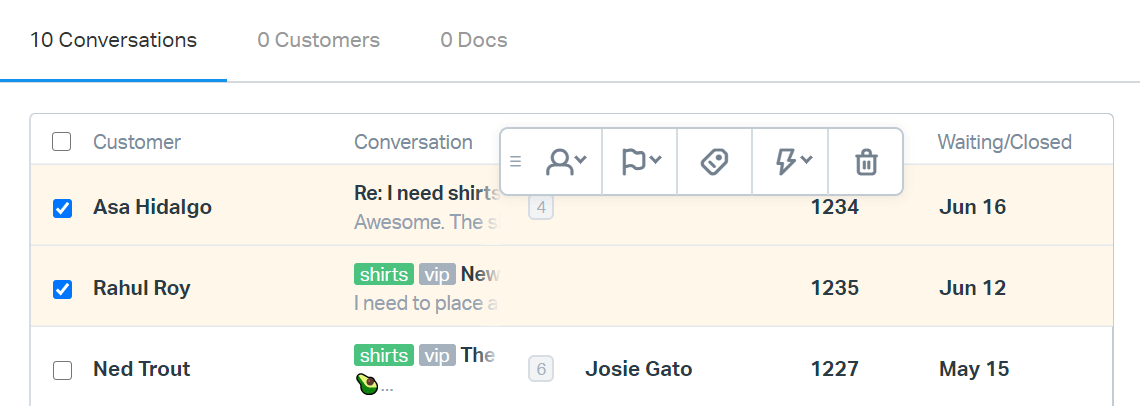
Need to tag or assign more than one conversation at a time? Just search for what you need, select a few conversations, and the bulk action menu will appear. These buttons allow you to assign, change the status, or tag a conversation. If the conversations you've selected are all in the same mailbox, you can also run a [manual workflow](https://5256150.hs-sites.com/knowledge/manual-workflows) from here. Click the trashcan icon to delete the conversations you've selected.
### Save Searches
To save a search, just bookmark it or save it as a favorite in your browser! When you run your search, the URL will change to include all of your search terms. You can bookmark/favorite that address to return to the same search over and over.
For example, if you wanted to search for all active conversations that are not assigned to any user or team that have a subject containing "urgent" - you can click the link below (while logged in to your Help Scout account) to run that search in your account.
[Search for active, unassigned conversations with the word urgent in the subject.](https://secure.helpscout.net/search/?query=status%3Aactive%20assigned%3AUnassigned%20subject%3Aurgent)
While you're on that search result, just save that in your browser, and ta da — you've saved your search!
### Search Permissions
Administrators and Account Owners are able to search all data across all mailboxes, so they're able to view everything.
Users are able to search all data across the mailboxes they have permission to view only.
Did this answer your question? Thanks for the feedback There was a problem submitting your feedback. Please try again later.Yes No No results found
- [Docs](https://hsdemo.frodx.com/en/knowledge/docs#main-content)
- [Working with Docs](https://hsdemo.frodx.com/en/knowledge/docs#working-with-docs)
- [Formatting Content](https://hsdemo.frodx.com/en/knowledge/docs#formatting-content)
- [Managing Docs in Help Scout](https://hsdemo.frodx.com/en/knowledge/docs#managing-docs-in-help-scout)
- [Help Desk](https://hsdemo.frodx.com/en/knowledge/help-desk#main-content)
- [Mobile Apps](https://hsdemo.frodx.com/en/knowledge/help-desk#mobile-apps)
- [Getting Started](https://hsdemo.frodx.com/en/knowledge/help-desk#getting-started)
- [Productivity](https://hsdemo.frodx.com/en/knowledge/help-desk#productivity)
- [Mailbox and User Settings](https://hsdemo.frodx.com/en/knowledge/help-desk#mailbox-and-user-settings)
- [Working with Conversations](https://hsdemo.frodx.com/en/knowledge/help-desk#working-with-conversations)
- [Account Management](https://hsdemo.frodx.com/en/knowledge/help-desk#account-management)
- [Integrations](https://hsdemo.frodx.com/en/knowledge/help-desk#integrations)
- [Copying Email to Help Scout](https://hsdemo.frodx.com/en/knowledge/help-desk#copying-email-to-help-scout)
- [Reporting](https://hsdemo.frodx.com/en/knowledge/help-desk#reporting)
- [Sample Contact Page](https://hsdemo.frodx.com/sample-contact)
- [Sample About Page](https://hsdemo.frodx.com/sample-about)
- [Default HubSpot Blog](https://hsdemo.frodx.com/biglytics-blog)
[.png?width=550&height=171&name=frodx-logo-new%20(1).png "FrodX")](https://en.frodx.com/)
[mailto:email@email.com](mailto:email@email.com)
Copyright © 2026, GateHub Ltd