---
title: About Deleting Customer Profiles
description: There are no limits to the number of customers you can have in Help Scout, but you may need to delete a customer profile from time to time, likely due to a GDPR request to be forgotten or other privac
---
[Skip to content](https://hsdemo.frodx.com/en/knowledge/about-deleting-customer-profiles#main-content)
English
Show submenu for translations
.png?width=550&height=171&name=frodx-logo-new%20(1).png)
- [Sample Contact Page](https://hsdemo.frodx.com/sample-contact)
- [Sample About Page](https://hsdemo.frodx.com/sample-about)
- [Default HubSpot Blog](https://hsdemo.frodx.com/biglytics-blog)
Open main navigation
Close main navigation
- [Sample Contact Page](https://hsdemo.frodx.com/sample-contact)
- [Sample About Page](https://hsdemo.frodx.com/sample-about)
- [Default HubSpot Blog](https://hsdemo.frodx.com/biglytics-blog)
- English
Show submenu for translations
- Contact us
Contact us
How can we help you?
- There are no suggestions because the search field is empty.
1. [Help Center](https://hsdemo.frodx.com/en/knowledge)
2. [Help Desk](https://hsdemo.frodx.com/en/knowledge/help-desk)
3. [Productivity](https://hsdemo.frodx.com/en/knowledge/help-desk#productivity)
# About Deleting Customer Profiles
There are no limits to the number of customers you can have in Help Scout, but you may need to delete a customer profile from time to time, likely due to a GDPR request to be forgotten or other privacy policy mandates. Whatever your reason might be, deleting a profile from your account is quick and easy!
**Warning:** Before you begin, keep in mind that deleting a profile is a permanent step — there is no undo and the data cannot be restored.
#### In this article
- [What Happens When You Delete a Profile](https://hsdemo.frodx.com/en/knowledge/about-deleting-customer-profiles#whathappens)
- [How to Delete a Profile](https://hsdemo.frodx.com/en/knowledge/about-deleting-customer-profiles#how)
### What Happens When You Delete a Profile
Deleting a customer profile will also delete *all* conversations linked to that profile. This includes the following:
- Phone notes
- Chat transcripts
- Email conversations
- Group email conversations in which this the customer participated
- All conversations where the customer was set as the primary customer using [Change Customer](https://5256150.hs-sites.com/knowledge/change-the-customer-on-a-conversation)
Conversations where an email address associated with that customer profile is present in the CC or BCC fields only are not linked to their profile. These conversations will not be deleted.
Keep in mind that deleting a customer profile and the associated conversations is permanent. There is no way to restore the data after deletion.
### How to Delete a Profile
By default, account owners and administrators can delete a customer profile. This permission can be changed in the company permission settings. (See [User Roles and Permissions](https://5256150.hs-sites.com/knowledge/user-roles-and-permissions) for more on that.) To delete a profile, just follow these steps:
**Customers**  **Edit Full Profile** 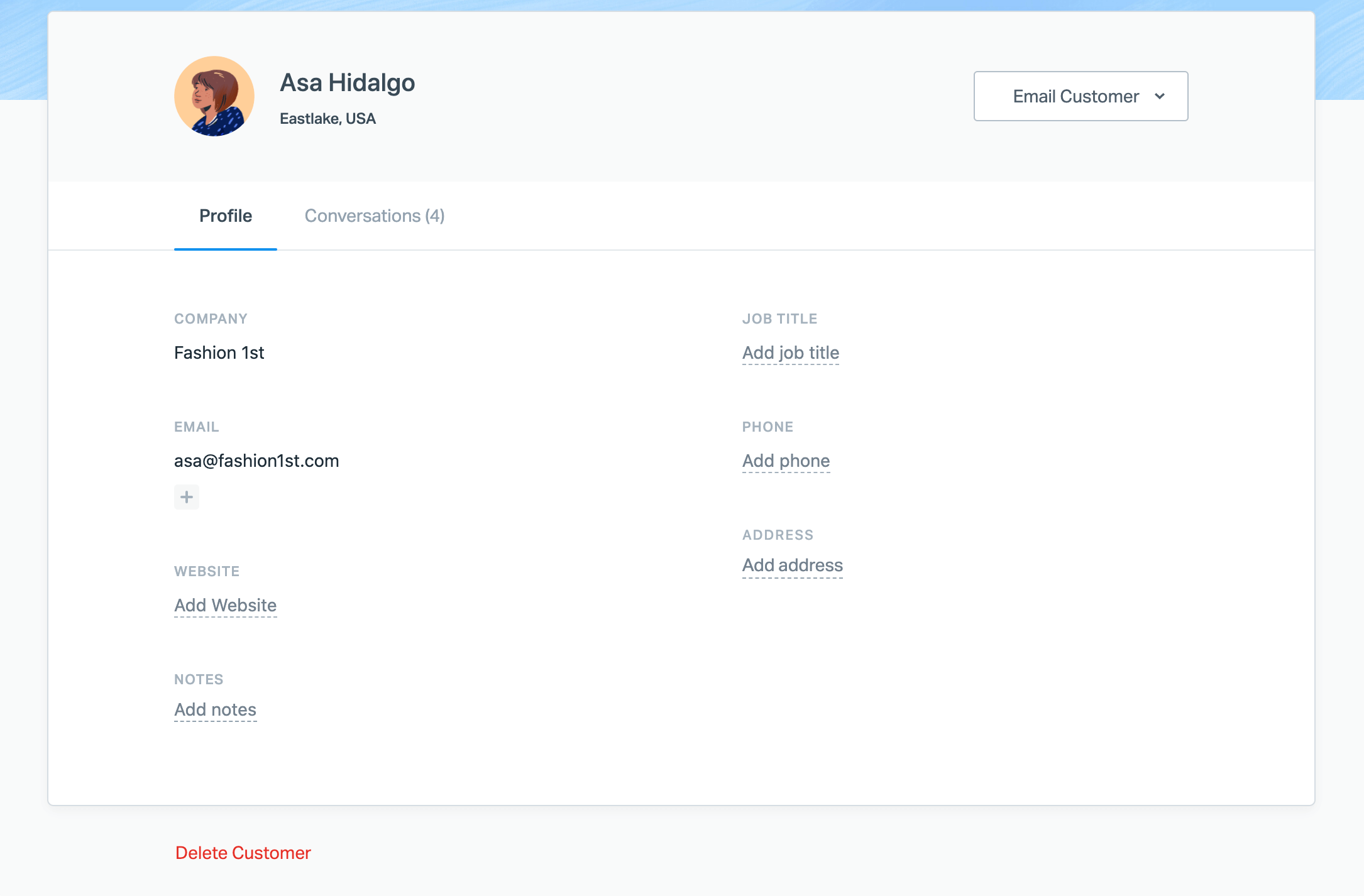 **Delete Customer** **DELETE** **Delete Customer** 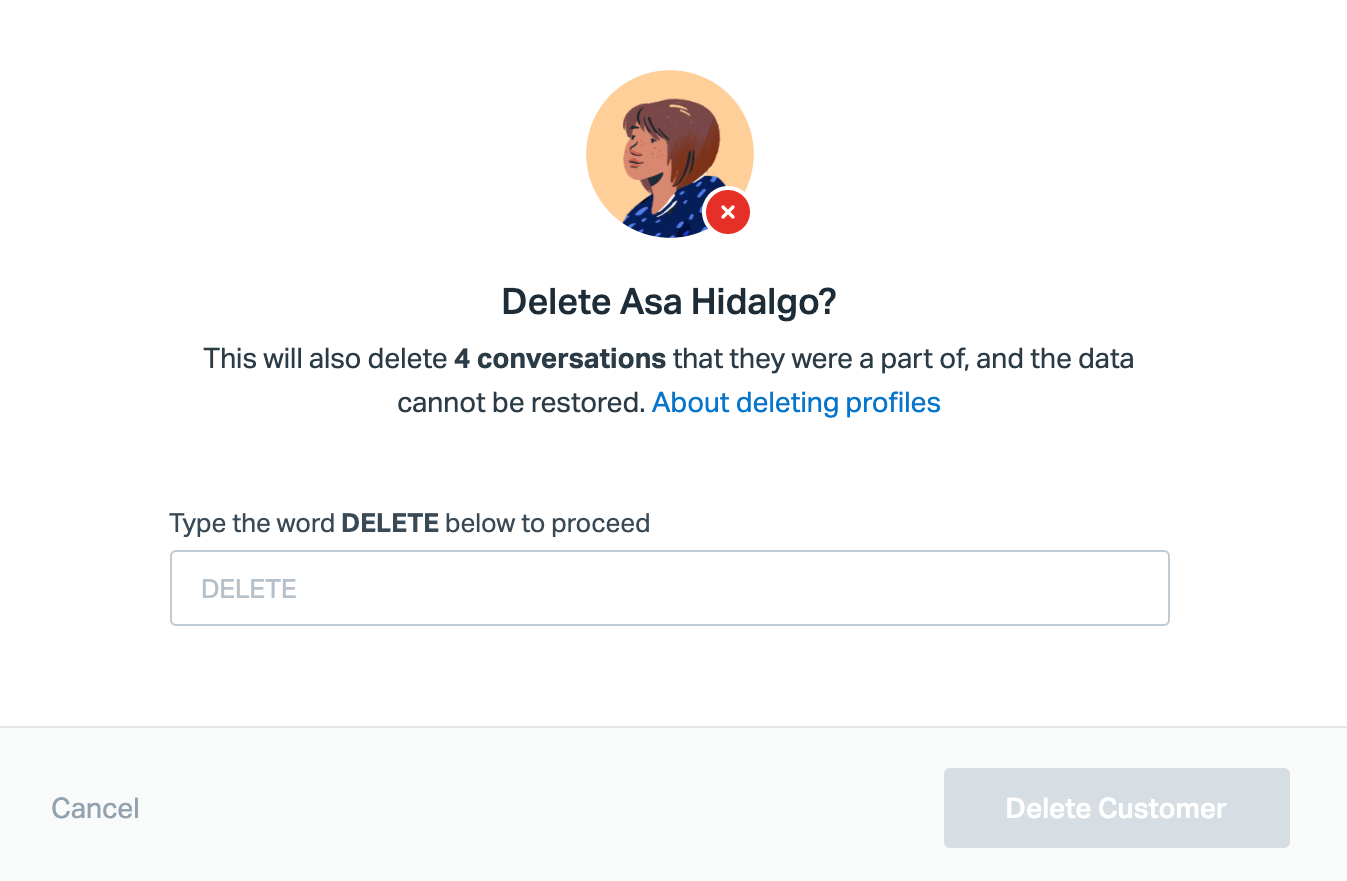
Note: If the customer profile you'd like to delete has more than 100 conversations linked to their profile, a Help Scout Administrator or Account Owner will need to reach out to our support team for an assist — just give us a shout and we'll take care of it for you!
Did this answer your question? Thanks for the feedback There was a problem submitting your feedback. Please try again later.Yes No No results found
- [Docs](https://hsdemo.frodx.com/en/knowledge/docs#main-content)
- [Working with Docs](https://hsdemo.frodx.com/en/knowledge/docs#working-with-docs)
- [Formatting Content](https://hsdemo.frodx.com/en/knowledge/docs#formatting-content)
- [Managing Docs in Help Scout](https://hsdemo.frodx.com/en/knowledge/docs#managing-docs-in-help-scout)
- [Help Desk](https://hsdemo.frodx.com/en/knowledge/help-desk#main-content)
- [Mobile Apps](https://hsdemo.frodx.com/en/knowledge/help-desk#mobile-apps)
- [Getting Started](https://hsdemo.frodx.com/en/knowledge/help-desk#getting-started)
- [Productivity](https://hsdemo.frodx.com/en/knowledge/help-desk#productivity)
- [Mailbox and User Settings](https://hsdemo.frodx.com/en/knowledge/help-desk#mailbox-and-user-settings)
- [Working with Conversations](https://hsdemo.frodx.com/en/knowledge/help-desk#working-with-conversations)
- [Account Management](https://hsdemo.frodx.com/en/knowledge/help-desk#account-management)
- [Integrations](https://hsdemo.frodx.com/en/knowledge/help-desk#integrations)
- [Copying Email to Help Scout](https://hsdemo.frodx.com/en/knowledge/help-desk#copying-email-to-help-scout)
- [Reporting](https://hsdemo.frodx.com/en/knowledge/help-desk#reporting)
- [Sample Contact Page](https://hsdemo.frodx.com/sample-contact)
- [Sample About Page](https://hsdemo.frodx.com/sample-about)
- [Default HubSpot Blog](https://hsdemo.frodx.com/biglytics-blog)
[.png?width=550&height=171&name=frodx-logo-new%20(1).png "FrodX")](https://en.frodx.com/)
[mailto:email@email.com](mailto:email@email.com)
Copyright © 2026, GateHub Ltd