---
title: Connect Shopify With Help Scout to View Order Info in the Sidebar
description: Shopify provides your business with everything needed to start selling online. You have full control over the design of your store, can accept secure payments for your business, and have access to 24/
---
[Skip to content](https://hsdemo.frodx.com/en/knowledge/connect-shopify-with-help-scout-to-view-order-info-in-the-sidebar#main-content)
English
Show submenu for translations
.png?width=550&height=171&name=frodx-logo-new%20(1).png)
- [Sample Contact Page](https://hsdemo.frodx.com/sample-contact)
- [Sample About Page](https://hsdemo.frodx.com/sample-about)
- [Default HubSpot Blog](https://hsdemo.frodx.com/biglytics-blog)
Open main navigation
Close main navigation
- [Sample Contact Page](https://hsdemo.frodx.com/sample-contact)
- [Sample About Page](https://hsdemo.frodx.com/sample-about)
- [Default HubSpot Blog](https://hsdemo.frodx.com/biglytics-blog)
- English
Show submenu for translations
- Contact us
Contact us
How can we help you?
- There are no suggestions because the search field is empty.
1. [Help Center](https://hsdemo.frodx.com/en/knowledge)
2. [Help Desk](https://hsdemo.frodx.com/en/knowledge/help-desk)
3. [Integrations](https://hsdemo.frodx.com/en/knowledge/help-desk#integrations)
# Connect Shopify With Help Scout to View Order Info in the Sidebar
[Shopify](https://www.shopify.com/) provides your business with everything needed to start selling online. You have full control over the design of your store, can accept secure payments for your business, and have access to 24/7 support by phone, chat or email.
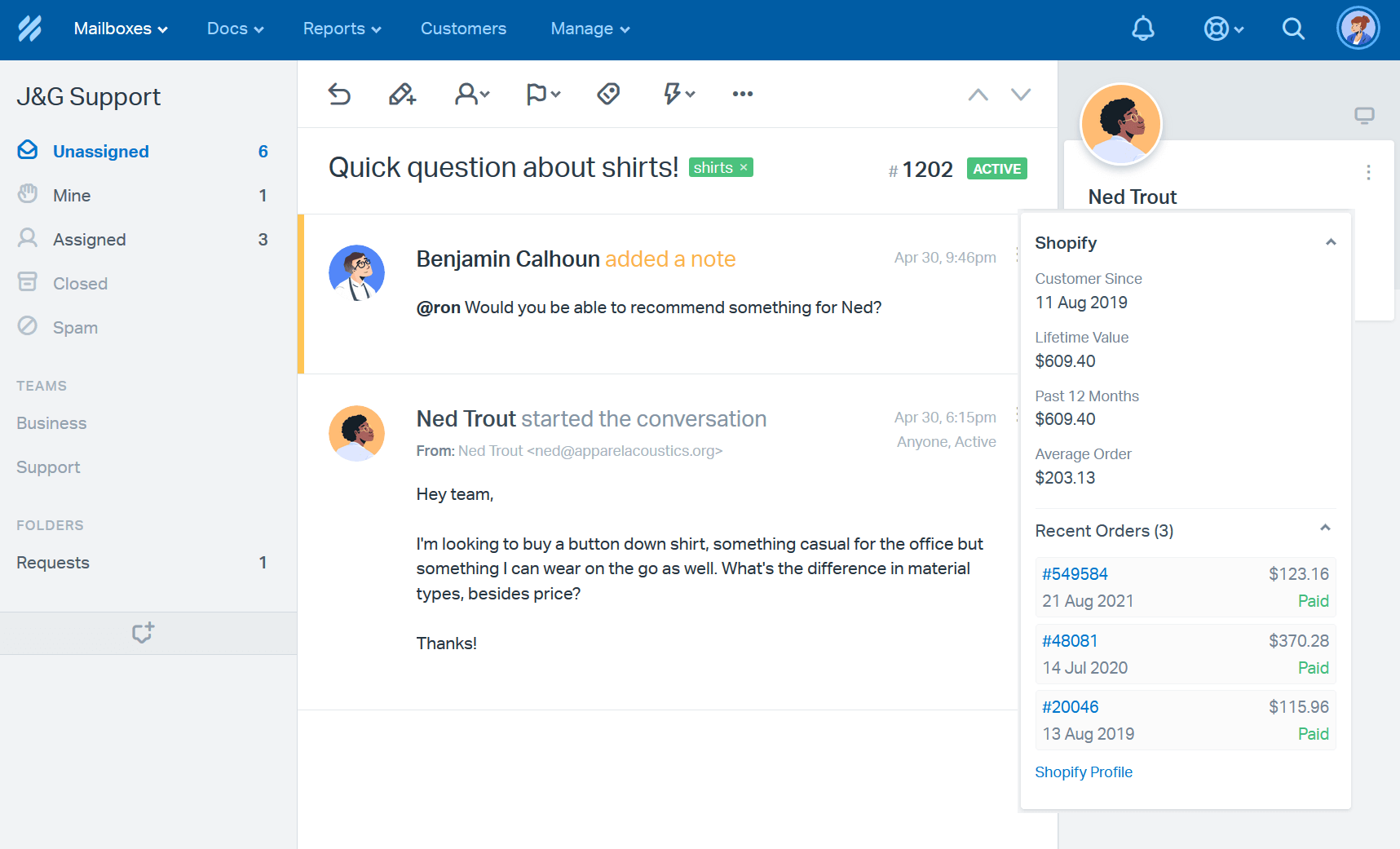
When you install the Shopify app for Help Scout, you'll be able to import customer contact information (email address and physical address), view key metrics (lifetime value, annual value and average order value) and display up to 10 of your customer's most recent orders right in the customer sidebar. You can also access order details or the customer's Shopify profile in a single click. Check out the snapshot below to see how it'll look in your account:
### Activation Instructions
*myshopify.comhttps://jg-clothing.myshopify.com/adminjg-clothing.* 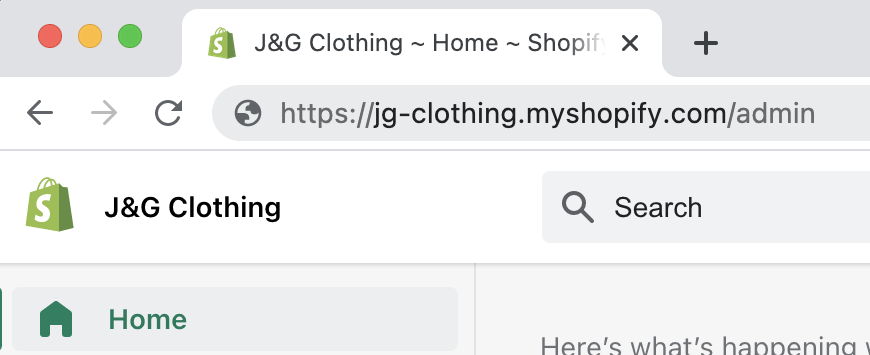 **Manage \> Apps \> ShopifyConnect to Shopify** 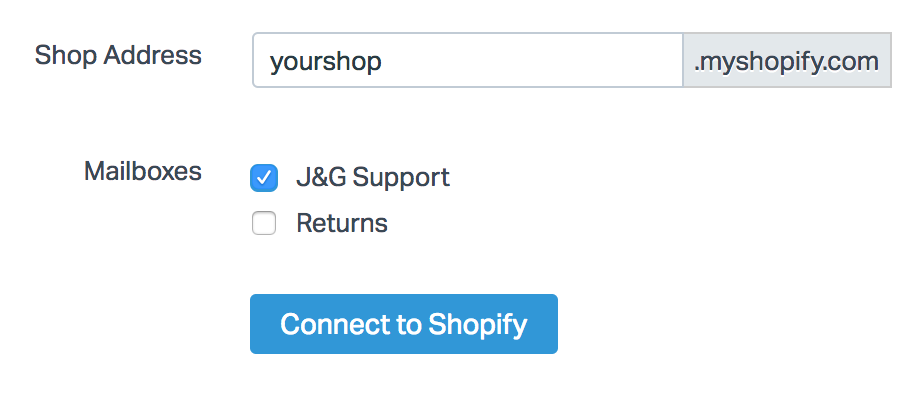
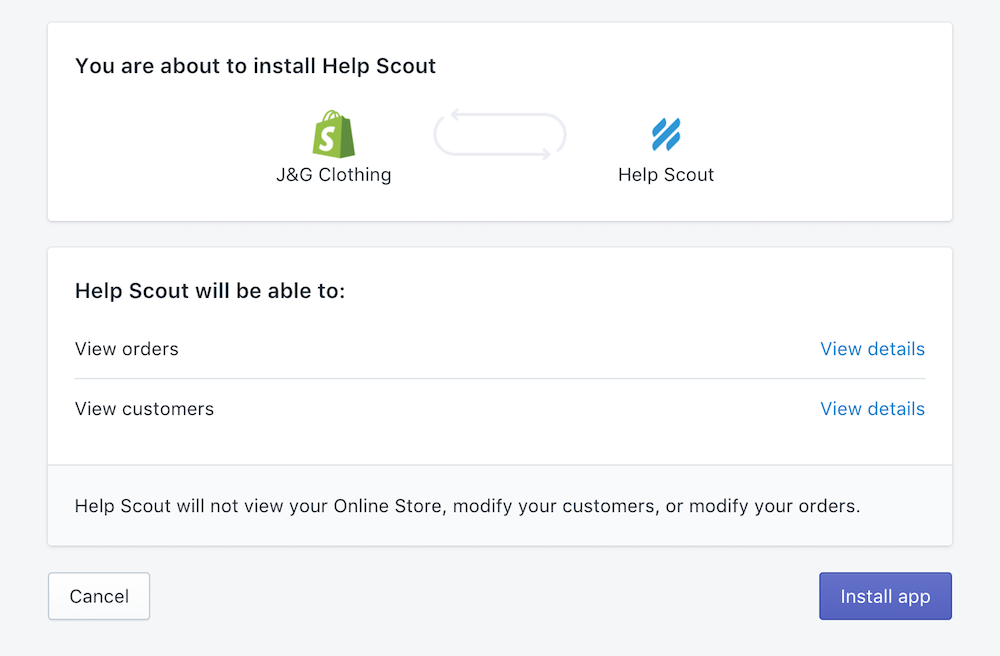
Log in to your Shopify account again if you're prompted to do so, and then click **Install app**.
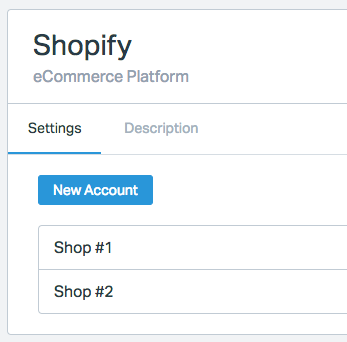
You can also add multiple accounts if you have other Shopify shops you'd like to integrate into Help Scout. Click **New Account** to link the new shop, and follow steps #1-3. You'll be able to label each shop to easily distinguish them within Help Scout after you've saved the settings. Within the app settings view, they will appear stacked.
 Did this answer your question? Thanks for the feedback There was a problem submitting your feedback. Please try again later.Yes No No results found
- [Docs](https://hsdemo.frodx.com/en/knowledge/docs#main-content)
- [Working with Docs](https://hsdemo.frodx.com/en/knowledge/docs#working-with-docs)
- [Formatting Content](https://hsdemo.frodx.com/en/knowledge/docs#formatting-content)
- [Managing Docs in Help Scout](https://hsdemo.frodx.com/en/knowledge/docs#managing-docs-in-help-scout)
- [Help Desk](https://hsdemo.frodx.com/en/knowledge/help-desk#main-content)
- [Mobile Apps](https://hsdemo.frodx.com/en/knowledge/help-desk#mobile-apps)
- [Getting Started](https://hsdemo.frodx.com/en/knowledge/help-desk#getting-started)
- [Productivity](https://hsdemo.frodx.com/en/knowledge/help-desk#productivity)
- [Mailbox and User Settings](https://hsdemo.frodx.com/en/knowledge/help-desk#mailbox-and-user-settings)
- [Working with Conversations](https://hsdemo.frodx.com/en/knowledge/help-desk#working-with-conversations)
- [Account Management](https://hsdemo.frodx.com/en/knowledge/help-desk#account-management)
- [Integrations](https://hsdemo.frodx.com/en/knowledge/help-desk#integrations)
- [Copying Email to Help Scout](https://hsdemo.frodx.com/en/knowledge/help-desk#copying-email-to-help-scout)
- [Reporting](https://hsdemo.frodx.com/en/knowledge/help-desk#reporting)
- [Sample Contact Page](https://hsdemo.frodx.com/sample-contact)
- [Sample About Page](https://hsdemo.frodx.com/sample-about)
- [Default HubSpot Blog](https://hsdemo.frodx.com/biglytics-blog)
[.png?width=550&height=171&name=frodx-logo-new%20(1).png "FrodX")](https://en.frodx.com/)
[mailto:email@email.com](mailto:email@email.com)
Copyright © 2026, GateHub Ltd