.png?width=550&height=171&name=frodx-logo-new%20(1).png)
Slack brings all your team communications into a central hub. In addition to group chat and instant messaging, Slack integrates with many of the services you use every day and posts automatic updates in a channel (similar to a room) of your choice.
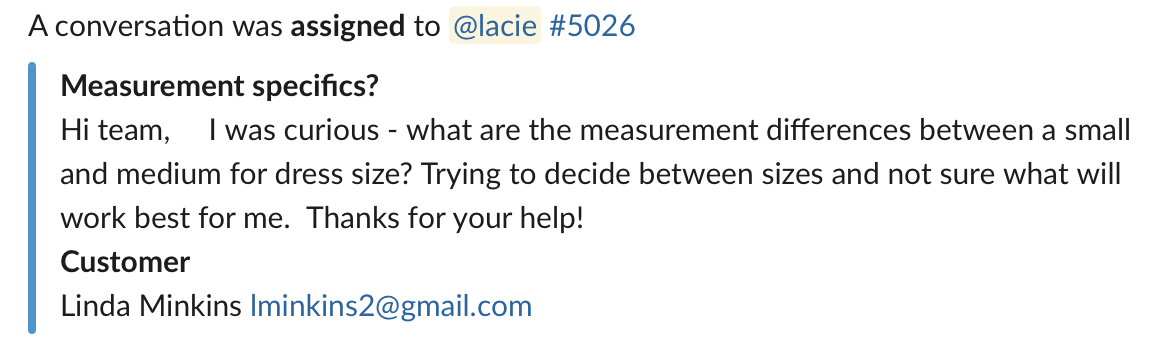
The Slack integration allows you to post events from Help Scout (new chat received, new conversations, customer replies, etc) instantly to the channel or person of your choice. You can even map different mailboxes to different channels. Each event will have a link to the conversation in question and an @mention of the person assigned when possible. Check out the snapshot below to see how it will look in action:
In this article
Activation Instructions
Manage AppsSlackInstall App Allow
Allow  Save
Save 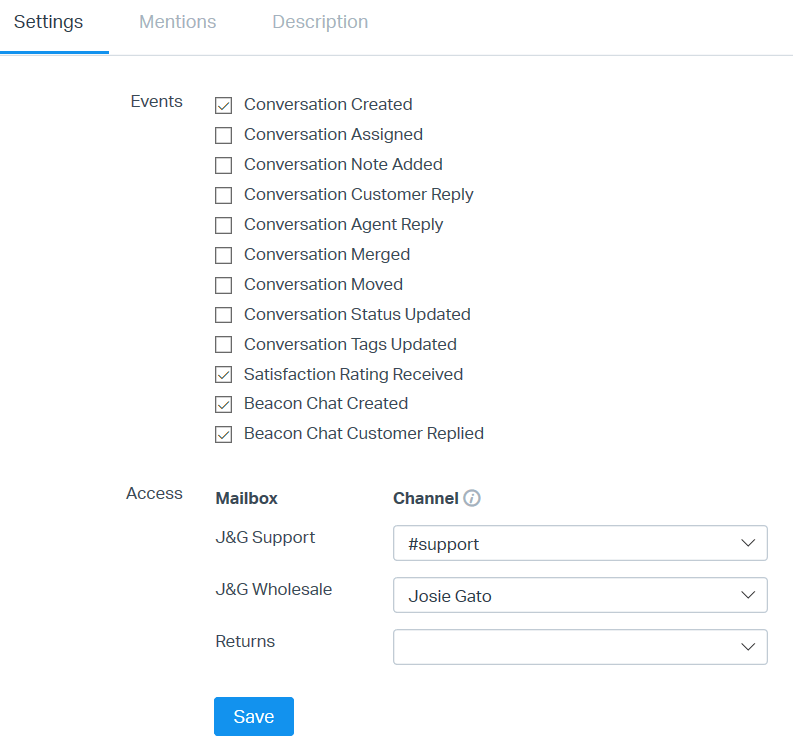
Note: Newly created Slack channels can take up to 2 hours to be displayed in the Channel menu(s) in Help Scout.
MentionsMentions EnabledSave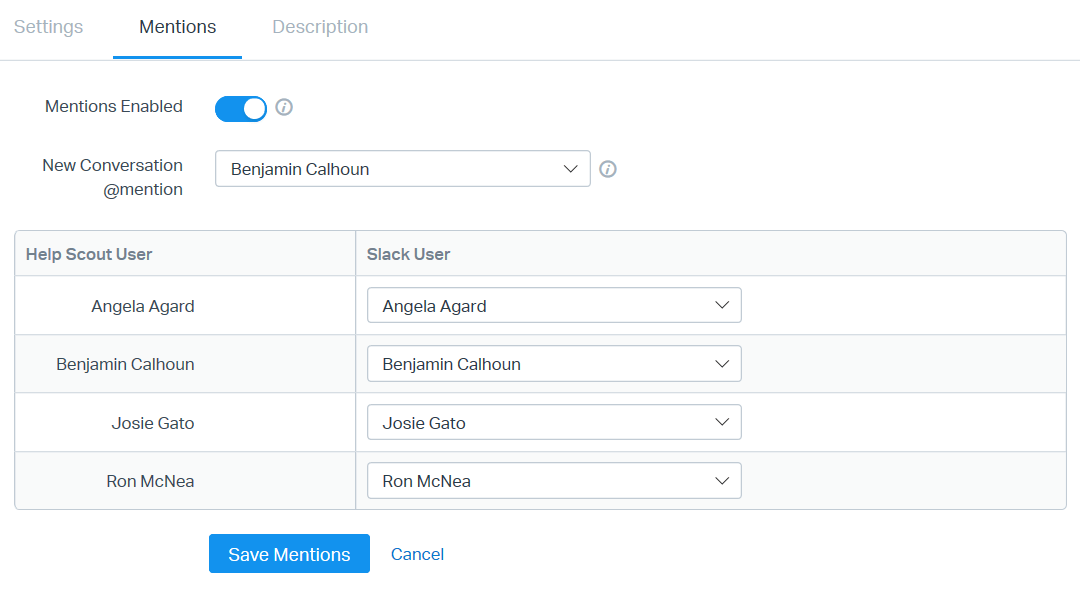
Keep in mind that only conversations assigned to a User will trigger @mentions in Slack. To receive notifications for a new Unassigned conversation, select a User from the New Conversation @mention menu for that specific individual to receive New Conversation alerts in Slack.
It is only possible to link one Slack team/domain per Help Scout account.
Note: If your organization signs a BAA with Help Scout and utilizes the HIPAA compliance features, Slack notifications will not include full conversation data that might expose PHI.
Uninstall Slack Integration
Manage AppsRemove App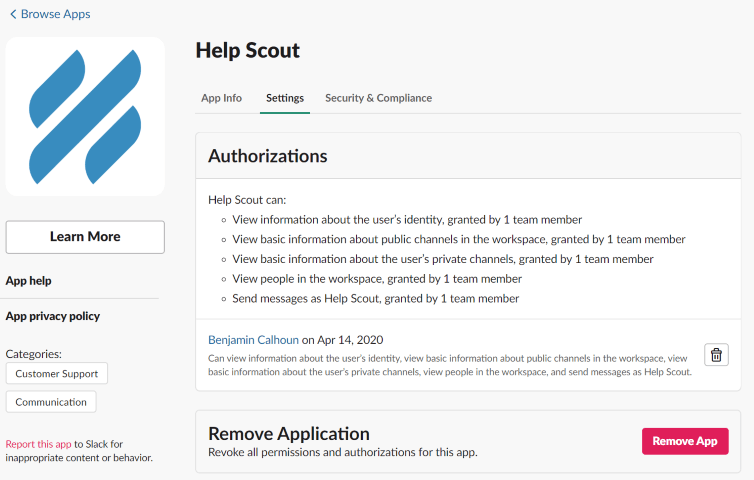 Manage > Apps > SlackUninstall App
 Did this answer your question? Thanks for the feedback There was a problem submitting your feedback. Please try again later.Yes No
No results found
Did this answer your question? Thanks for the feedback There was a problem submitting your feedback. Please try again later.Yes No
No results found