.png?width=550&height=171&name=frodx-logo-new%20(1).png)
Single sign-on (SSO) for your domain within Help Scout allows your Users to easily and securely log in to their accounts. This article will help you get set up if your IdP is OneLogin. For more general information on adding and using SSO with Help Scout, check out Enable SSO in Your Account. The SSO feature is available on the Pro plan or as an add-on to the Plus plan.
In this article
What is SSO?
Single sign-on (or SSO) is a way to authenticate and log in to an application with just one set of credentials, rather than having to set up multiple usernames and passwords across different platforms. It's a more secure process and prevents potentially losing or forgetting login credentials since it's stored through another service.
SAML is an open standard for allowing single sign-on between 2 systems: A Service Provider (that's Help Scout) and an Identity Provider (that's the system storing your organization's user database e.g. Okta, OneLogin etc.).
Setting up SSO With OneLogin
This section explains step by step how to configure SAML Single Sign-On between Help Scout and OneLogin as the Identity Provider.
Note: Service Provider (Help Scout) provisioning is not supported. Accounts should be created first in the IdP or Help Scout, and then authenticated via the IdP prior to logging in to Help Scout.
You'll need to be the Help Scout Account Owner or an Administrator to get this setup for your account.
Manage > Company > AuthenticationPost-back URLAudience URI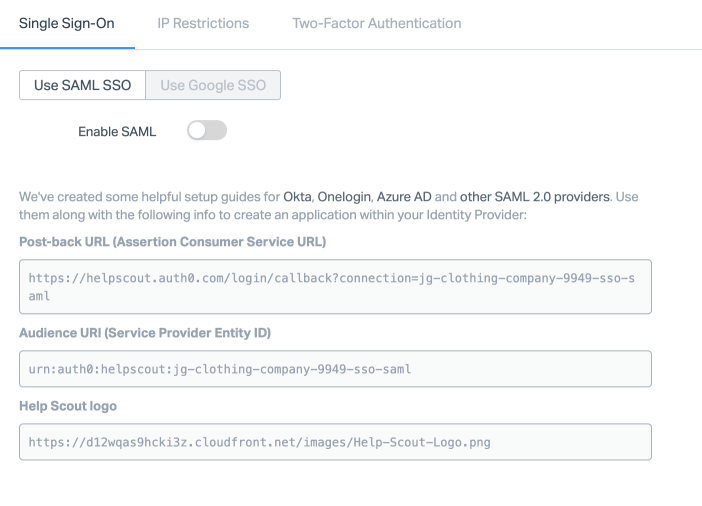 Applications > ApplicationsAdd App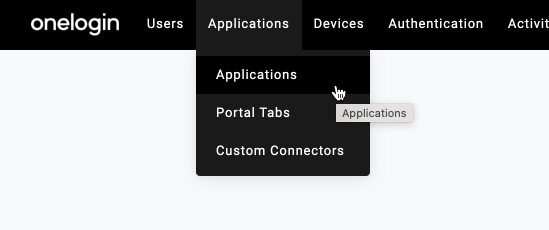
 test connectorSAML Test Connector (Advanced) SAML 2.0
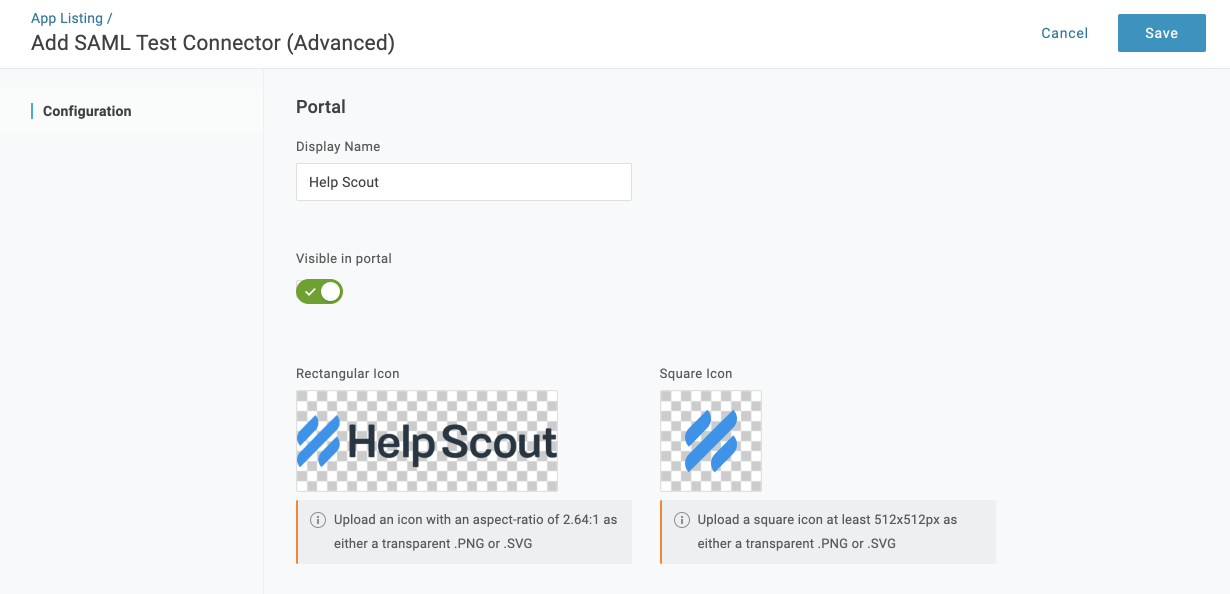
 Help ScoutDisplay NameVisible in portalRectangular iconSquare iconSave
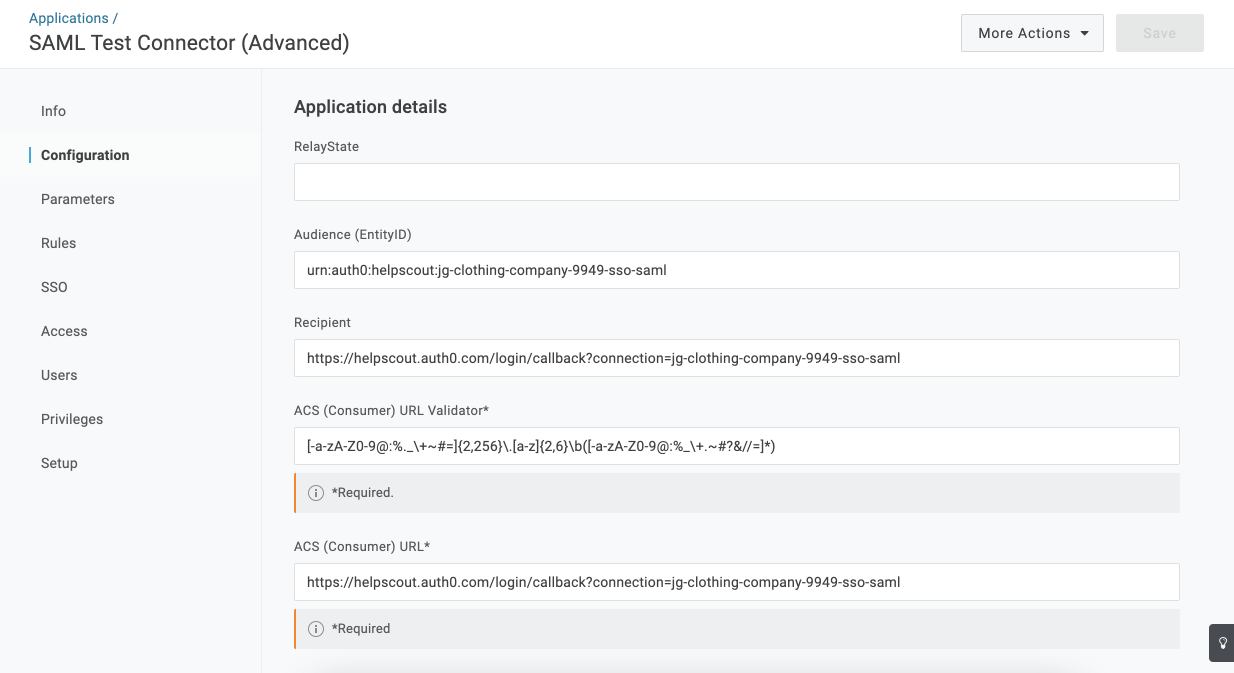
  ConfigurationAudience URIAudience (Entity ID)Post-back URLACS (Consumer) URLRecipientACS (Consumer) URL Validator
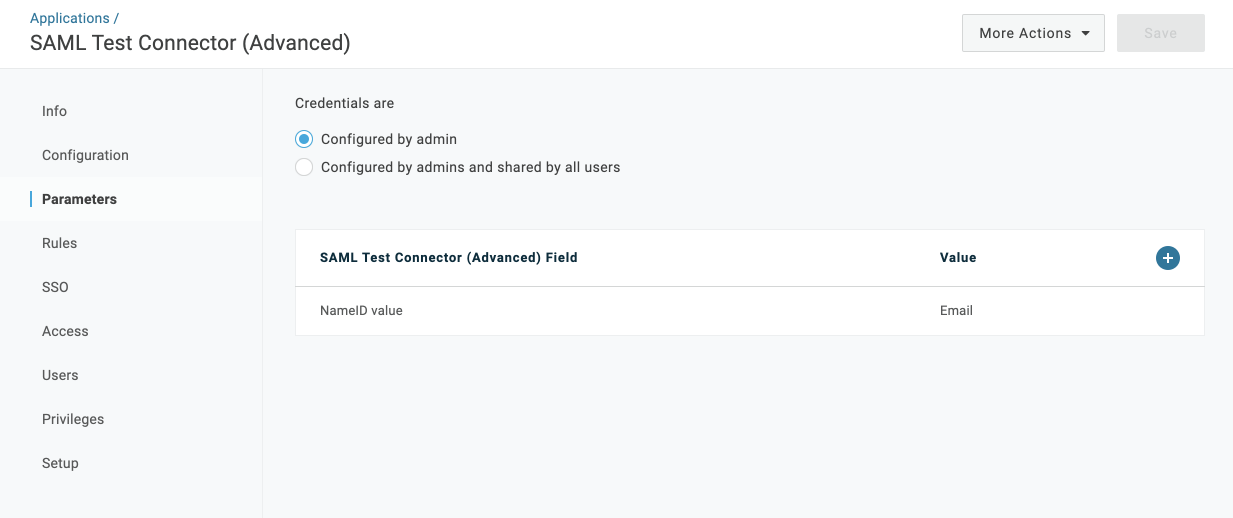
  SaveParameters +
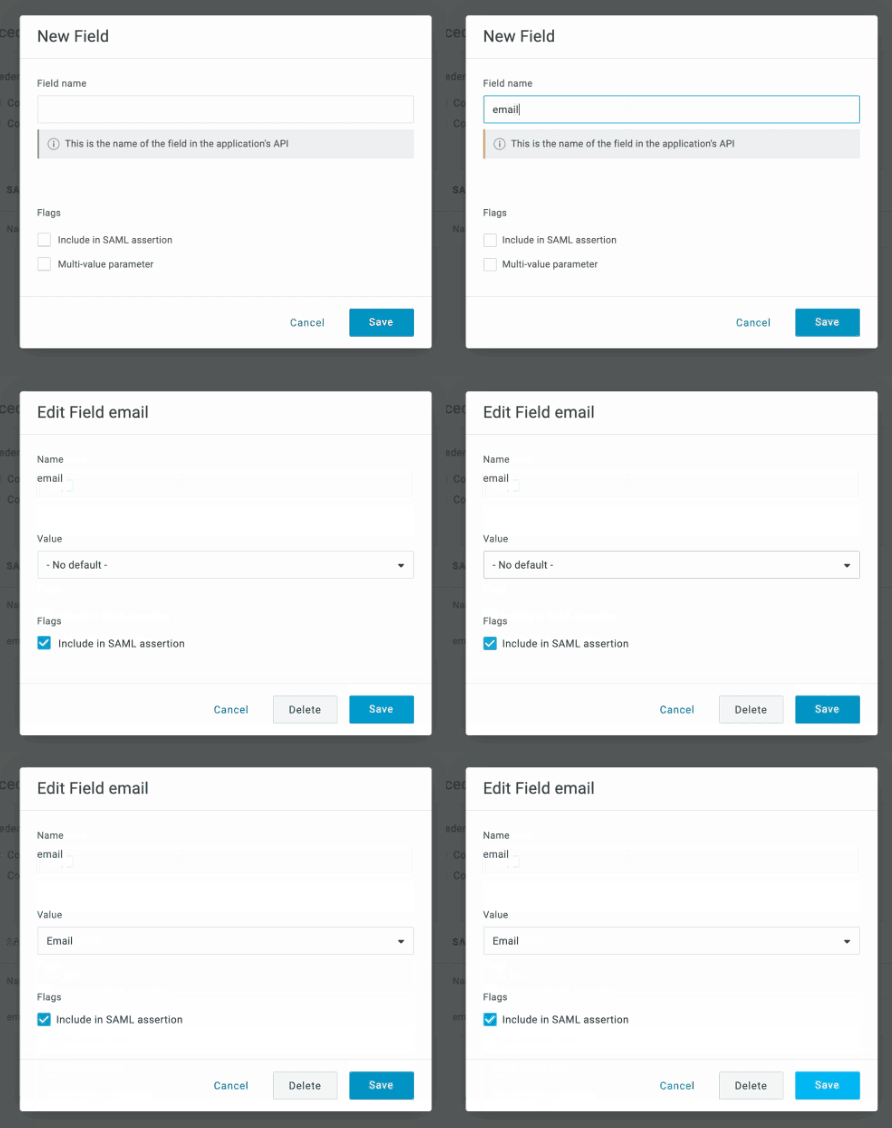
  email Include in SAML assertionSave- No default -Email Save
 first_nameFirst Namelast_nameLast Nameemailfirst_namelast_name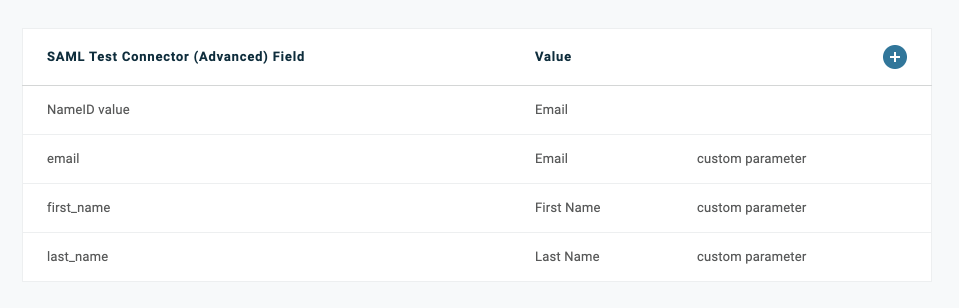
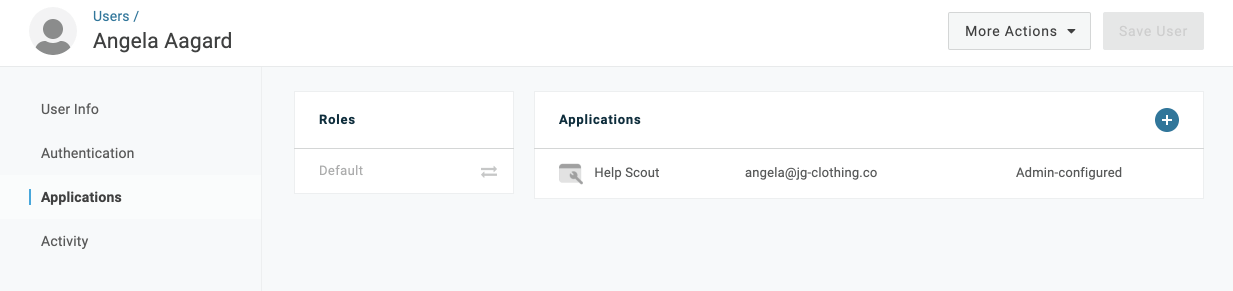 SSOSAML 2.0 Endpoint (HTTP)View detailsDownload onelogin.pemSAML 2.0 Endpoint (HTTP)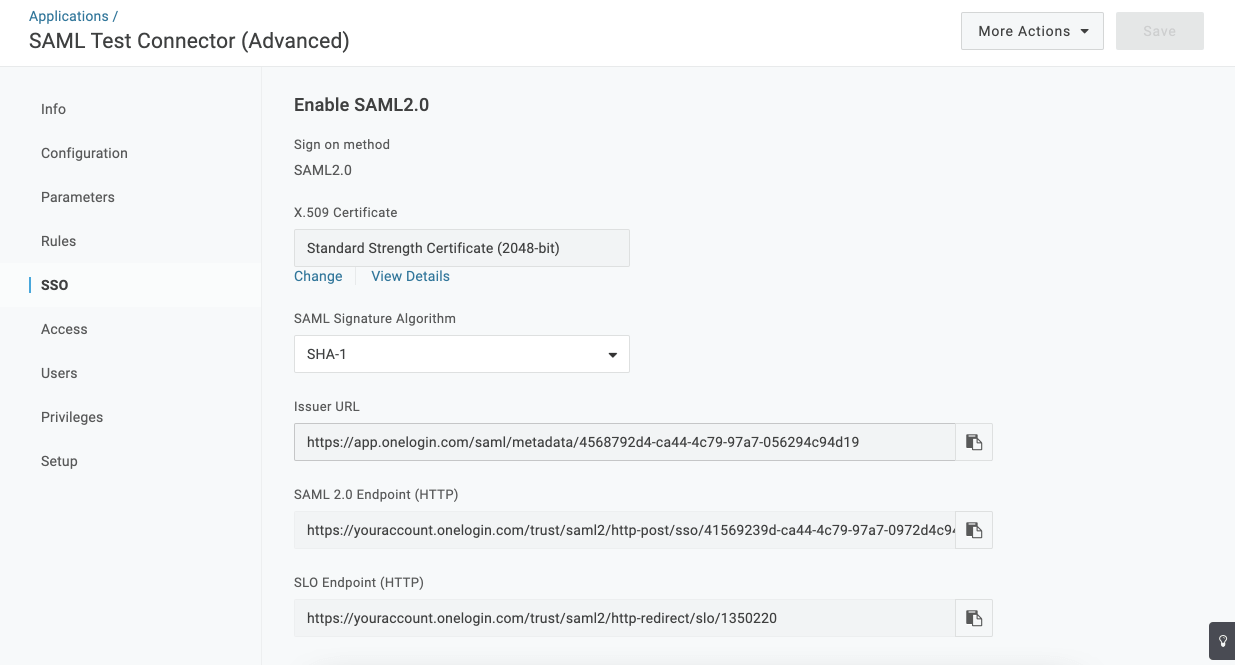
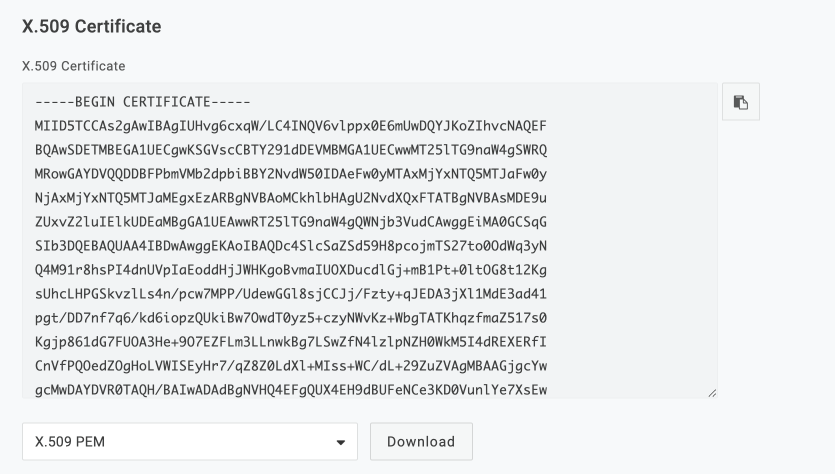 Manage > Company > AuthenticationEnable SAMLSAML 2.0 Endpoint (HTTP)Single Sign-On URLForce SAML Sign-inalwaysSave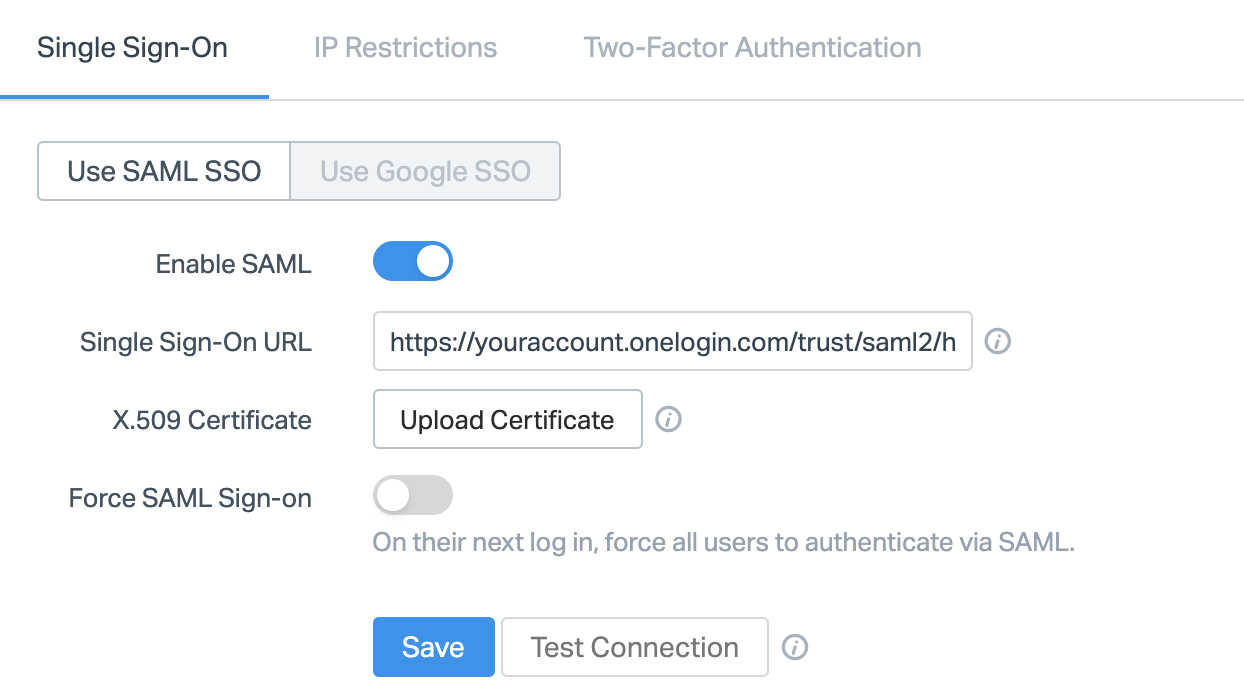
Single Sign-On using OneLogin is all set! Users need to log in via the identify provider prior to logging in to Help Scout.
Did this answer your question? Thanks for the feedback There was a problem submitting your feedback. Please try again later.Yes No No results found